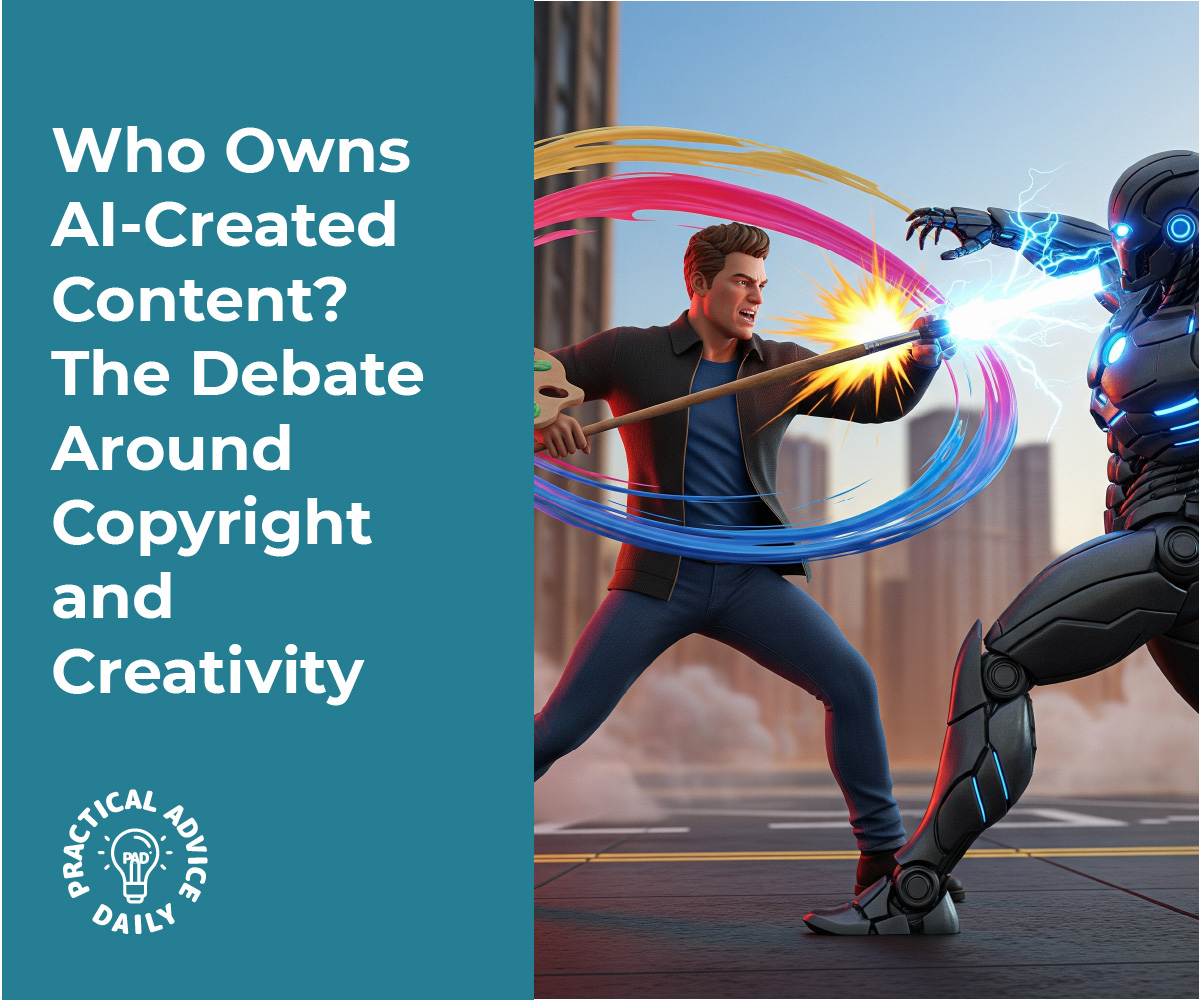
Who Owns AI-Created Content? The Debate Around Copyright and Creativity

Artificial intelligence can now write stories, paint pictures, compose music, and more. But as machines create more content, a tricky question keeps coming up: who owns the rights to something created by AI?

If a computer helps write a book or design a logo, can a person claim it as their own? Or does it belong to no one? These questions matter now more than ever, especially for writers, artists, and everyday users exploring new AI tools.

Don’t worry if the legal side feels confusing—we’ll walk you through it step by step.

Table of Contents

Key Takeaways

  • AI-generated content is not protected by copyright unless a human made a meaningful creative contribution.
  • Current laws focus on human authorship, not machines.
  • Users of AI tools often don’t fully own the content produced unless stated clearly in the tool’s terms.
  • Legal systems around the world are still figuring it out, so the rules may change in the future.
  • If you’re using AI tools for creative work, read the terms of service carefully and keep records of your input.

Who (or What) Owns AI-Created Work?

Under current copyright law in many countries, including the United States, only humans can be legal authors. That means if a machine creates something on its own—with no real human creativity involved—it likely can’t be copyrighted.

For example:

  • If you press a button and the AI generates a painting entirely on its own, no one owns that painting in a legal sense.
  • If you guide the AI with detailed prompts and then make changes to the result, you might be able to claim some ownership—but it depends on how much you contributed creatively.

Real-Life Example:

In 2023, a graphic novel creator used AI to generate images. The U.S. Copyright Office ruled that the text and layout (written and designed by a human) were protected, but the AI-generated images were not.
Why This Matters

This issue affects:

  • Writers and artists who use AI tools to help with their work.
  • Businesses and marketers creating content with AI.
  • Everyday users making fun images or writing poems with chatbots.

If you assume you own the work and later try to sell or publish it, you could run into legal trouble—or find out that someone else can use the same content freely.

What Do the AI Tool Terms Say?

Most AI platforms (like ChatGPT, Midjourney, or DALL·E) have their own rules. Some say:

  • You own the content you create with the tool, as long as you follow their guidelines.
  • Others keep some rights for themselves or make it clear that the content has no copyright protection.

Helpful Tip:

Always read the terms of service before using an AI tool for serious projects. These documents explain what you can do with the content and whether you have permission to use it commercially.

Is the Law Going to Change?

Probably. Around the world, governments are starting to debate how AI should fit into copyright law.

Some questions they’re considering:

  • Can we create a new category for “AI-assisted” works?
  • Should there be rules about how much human effort is needed for copyright?
  • Who is responsible if AI content breaks copyright laws or copies someone else?

This means that even though the rules today might seem unclear, changes are coming.

What Can You Do Now?

If you’re using AI to create content, here are some safe steps to follow:

  1. Add your own creative input. The more you guide, edit, and reshape the AI’s output, the more likely your work could qualify for protection.
  2. Document your process. Save your prompts, notes, and edits to show how you contributed creatively.
  3. Don’t rely only on AI. Use it as a tool—not a replacement—for your unique ideas.
  4. Check the terms of use. Make sure you’re allowed to use the content, especially if it’s for business or public use.
  5. Stay updated. Laws are evolving, so keep an eye on reliable news sources or legal guidance.

Final Thoughts

As AI continues to shape how we create and share content, the rules around ownership are still catching up. Right now, the safest path is to treat AI as a helpful assistant—not the sole creator.

The more effort and originality you bring to the process, the more likely you are to hold the rights to your work.

Keep learning, stay creative, and don’t be afraid to explore—but do so with a little caution and a lot of curiosity.

Looking for more beginner-friendly guides? Check out our articles on AI tools, safe content use, and digital rights for creators.


Categories AI

How to zoom in on your iPhone or iPad screen with Window Zoom — Apple Support

Window Zoom magnifies a portion of the iPhone or iPad screen for closer viewing. To activate, go to Settings > Accessibility > Zoom > Zoom Region, and select “Window Zoom.” Then, enable zoom and toggle the zoom lens by double-tapping with three fingers. Adjust magnification by dragging fingers up or down inside the zoom lens. For more settings, triple-tap with three fingers. VoiceOver users can access settings by double-tapping with one finger inside the zoom lens. Settings include switching between window zoom and full screen zoom, resizing the window, applying color filters, and more. Dismiss the zoom menu shortcut by tapping outside it. This feature enhances accessibility on Apple devices, promoting inclusive user experiences.

Summary:
– Window Zoom on iOS devices magnifies a section of the screen for better visibility.
– Activate it through Settings > Accessibility > Zoom > Zoom Region > “Window Zoom.”
– Toggle the zoom lens by double-tapping with three fingers, adjusting magnification by dragging fingers up or down inside the lens.
– Additional settings, including color filters and resizing options, are available by triple-tapping with three fingers.
– Dismiss the zoom menu shortcut by tapping outside it, offering enhanced accessibility for users.

How to detect people with iPhone 12 Pro, iPhone 12 Pro Max, and iPad Pro with LiDAR — Apple Support

With iPhone 12 Pro and iPad Pro equipped with LiDAR, you can utilize the people detection feature in Magnifier to detect nearby individuals. First, navigate to Settings, then Accessibility, and scroll down to Accessibility Shortcut. Tap on “People Detection” to add it to the shortcut. To activate people detection, triple-click the side button or use a triple tap with four fingers if VoiceOver is enabled. Hold your device with the rear camera facing outward, and you’ll receive visual, audible, or haptic feedback when a person is detected, with feedback increasing when someone is within six feet. Tap “End” to finish the process.

Summary:
– iPhone 12 Pro and iPad Pro with LiDAR support people detection in Magnifier.
– Access Settings, then Accessibility, and scroll to Accessibility Shortcut.
– Tap “People Detection” to add it to the shortcut for easy access.
– Activate people detection by triple-clicking the side button or triple tapping with four fingers for VoiceOver users.
– Hold the device with the rear camera outward to receive feedback when detecting individuals, with increasing feedback within six feet.

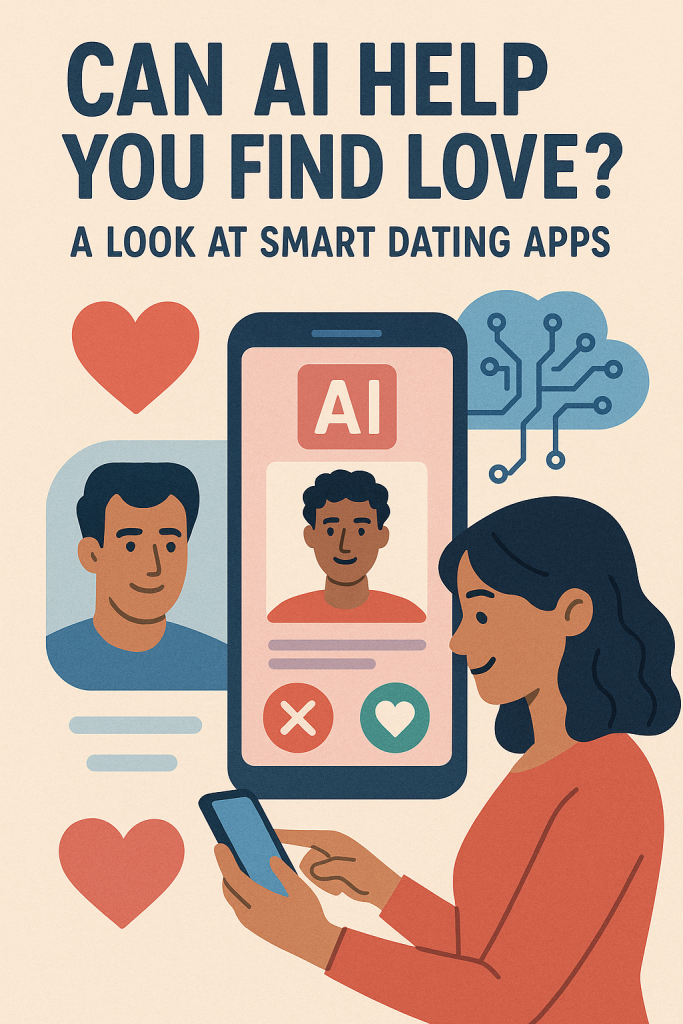
Can AI Help You Find Love? A Look at Smart Dating Apps

Dating has come a long way from personal ads and blind dates. Today, smart technology is stepping in to make matchmaking easier and more thoughtful. If you’re feeling overwhelmed by swiping or unsure how to start a great conversation, artificial intelligence (AI) might be the helping hand you didn’t know you needed.

In this friendly guide, we’ll explore how AI is being used in dating apps to find compatible matches, improve conversations, and even give coaching tips. Don’t worry—it’s beginner-friendly and we’ll explain everything in simple terms.

Table of Contents

Key Takeaways

  • AI helps dating apps suggest more compatible matches by analyzing your interests and behavior
  • Compatibility scoring uses smart tools to match people based on personality, lifestyle, and values
  • AI chat coaching offers suggestions for starting and continuing better conversations
  • These tools aim to reduce stress, improve connection, and save time when dating online
  • You stay in control—AI simply offers helpful nudges, not decisions

How AI Works in Modern Dating Apps

1. Smarter Matchmaking

Traditional dating apps often rely on location, age, and a few preferences. But AI takes it a step further.

AI looks at how you use the app—what profiles you linger on, the types of messages you send, even the times you’re most active. This information helps the app learn your likes and dislikes.

Example:
Let’s say you tend to look at people who love dogs and mention hiking. The app notices this and starts showing you more dog-loving hikers without you having to search manually.

This saves time and often leads to more meaningful matches.

2. Compatibility Scoring

Some apps now use AI to go beyond appearances and basic filters. They ask you questions about your values, routines, and personality. AI then compares your answers with others to suggest who might be the best fit.

Think of it as a digital version of a trusted friend saying, “You two might really get along.”

Common areas AI looks at include:

  • Communication styles
  • Long-term goals
  • Lifestyle choices (early riser vs. night owl, etc.)
  • Openness to different experiences

Some dating apps display a “compatibility percentage” to help guide your choices, though it’s always just a suggestion, not a rule.

3. Chat Coaching and Conversation Help

Starting a conversation with someone new can be nerve-wracking. This is where AI really shines for many users.

Some apps now include chat coaching features, which offer:

  • Suggested openers based on shared interests
  • Tips to keep the chat going if it stalls
  • Help phrasing messages in a polite and positive way

Example:
If your match writes “I love cooking on weekends,” the app might suggest a response like, “That sounds fun! What’s your favorite dish to make?”

This gives you a starting point without sounding generic or forced.

For people who feel shy, anxious, or just out of practice, this kind of guidance can make dating more comfortable and enjoyable.

Is AI Replacing the Human Touch?

Not at all. AI doesn’t choose your partner for you. It simply helps narrow down the pool and encourages better conversations. You still make all the decisions.

Think of it as having a smart assistant that helps you spot potential connections faster, with fewer dead-ends or mismatches.

And while some people might worry it’s too “robotic,” many users find it actually brings more personality into their dating life by suggesting matches based on deeper traits—not just photos.

Here are a few dating platforms that currently use AI features:

  • eharmony – Uses compatibility scoring with personality quizzes
  • Hinge – Offers prompts and suggestions for better communication
  • Bumble – Recently introduced AI-powered message starters
  • Iris – Focuses on visual preferences and AI pattern recognition
  • Replika (for practice) – Not a dating app, but lets you practice chats with an AI companion

Each app is a little different, so it’s worth trying one that feels right for your goals.

Final Thoughts

If online dating has felt exhausting or confusing, AI could offer a gentler, smarter way to find real connection. It helps take the guesswork out of matching and gives support where people often get stuck—like starting a conversation or choosing who to talk to.

Remember, you’re still in the driver’s seat. These tools are there to help, not take over. With AI as your guide, you might just enjoy dating more—and who knows? You may even find someone special.

Want to learn more? Explore our other guides on safe online dating, building a great profile, and reading between the lines in messages.

Categories AI

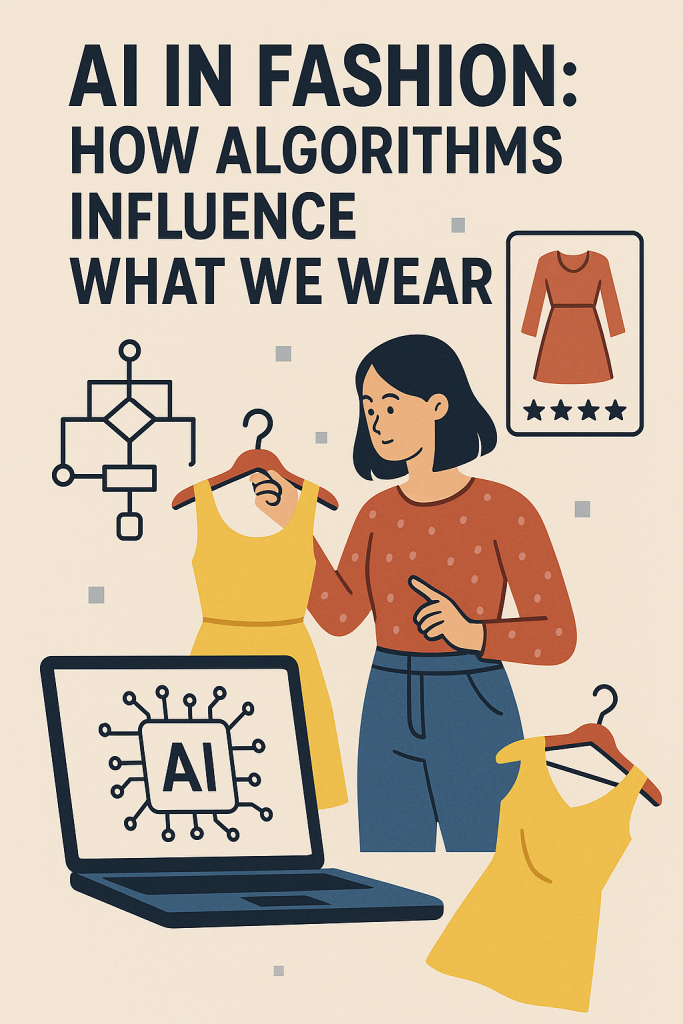
AI in Fashion: How Algorithms Influence What We Wear

Fashion is all around us—from what we wear at home to what we see in stores and online. But did you know that technology, especially artificial intelligence (AI), plays a big role in what ends up in our closets? Today, AI is helping designers create new styles, apps suggest outfits, and companies decide which trends will be popular next season.

If you’re curious (but not very tech-savvy), don’t worry. This guide will walk you through how AI is influencing fashion in simple terms. Whether you love shopping or just want to know how these smart tools work, you’ll find this helpful and easy to follow.

Table of Contents

Key Takeaways

  • Personal styling apps use AI to recommend outfits based on your preferences.
  • AI tools help fashion brands predict trends faster and more accurately.
  • Fast fashion companies use algorithms to decide what clothes to make and sell quickly.
  • AI is also used to suggest sizes, reduce waste, and improve the shopping experience.

How AI Helps You Pick What to Wear

One of the most noticeable ways AI touches your life is through personal styling apps. If you’ve ever used an app that recommends clothes based on your taste or asks you questions about your style, that’s AI at work.

Personal Styling Apps

Apps like Stitch Fix, The Yes (now part of Pinterest), or even some features in online shopping sites use AI to suggest clothes. Here’s how it works:

  1. You answer simple questions about your favorite colors, body type, and clothing preferences.
  2. The app uses your answers, plus data from thousands of other users, to recommend outfits.
  3. Over time, it “learns” what you like by tracking what you buy or rate highly.

This makes shopping easier and more personal, especially for people who find fashion overwhelming or don’t have time to browse for hours.

Example:

Linda, age 62, wanted to refresh her wardrobe but didn’t know where to start. She downloaded a styling app, answered a few questions, and within minutes, had outfit suggestions that matched her style and budget.

In the past, fashion designers relied on gut feeling, runway shows, or seasonal inspiration to decide what might become popular. Today, AI helps take out the guesswork.

How Trend Prediction Works

AI systems can scan millions of social media posts, fashion blogs, online searches, and shopping trends to detect patterns. For example:

  • If a certain color (like lavender) is being mentioned more often in fashion posts…
  • Or if a particular item, like wide-leg pants, is being bought more in certain cities…

…AI spots these patterns and alerts designers or retailers. This allows fashion companies to plan months ahead and meet customer demand faster.

Real-Life Example:

A popular brand used AI to spot an increase in demand for puffy jackets in early fall. Thanks to the prediction, they had new styles ready in stores before winter arrived, boosting sales.

Fast Fashion Gets Even Faster

Fast fashion refers to clothing that’s made and sold quickly, often at low prices. Companies like Zara, H&M, and Shein rely heavily on AI to speed things up.

What AI Does for Fast Fashion

  • Analyzes customer behavior: What are people buying? What’s sitting on the shelf?
  • Helps design new items: AI can mix and match popular features from other clothes to create new looks.
  • Manages inventory: Decides how many of each item to make, reducing waste and overproduction.

This means clothes can go from a sketch to the store in just a few weeks. It’s efficient, but it also raises concerns about sustainability, which we’ll touch on below.

More Ways AI Is Used in Fashion

AI isn’t just about what styles are “in.” It helps with the entire shopping process.

Smart Sizing

Have you ever ordered something online and it didn’t fit? AI tools now help match your size better by using your body measurements and comparing them with brand sizing charts.

Virtual Try-Ons

Some websites let you upload a photo or use your webcam to “try on” clothes virtually. AI adjusts the clothes on your image so you can see how it might look in real life.

Reducing Waste

AI helps companies make better decisions about how much to produce and what to stock, which helps reduce waste—an important step toward more sustainable fashion.

Final Thoughts

AI is quietly but powerfully shaping the world of fashion—from what’s trending to what’s hanging in your closet. Whether you’re using a styling app or just shopping online, chances are AI is helping guide your experience.

And the best part? You don’t need to be a tech expert to benefit from it. With tools that make choosing outfits easier, improve sizing, and help reduce waste, AI is making fashion more accessible and personalized for everyone.

If you’re interested in exploring this further, you might want to try a styling app or read about how technology is helping fashion become more eco-friendly.

Fashion and tech may seem like an unlikely pair—but together, they’re shaping a smarter, more stylish future.

Categories AI

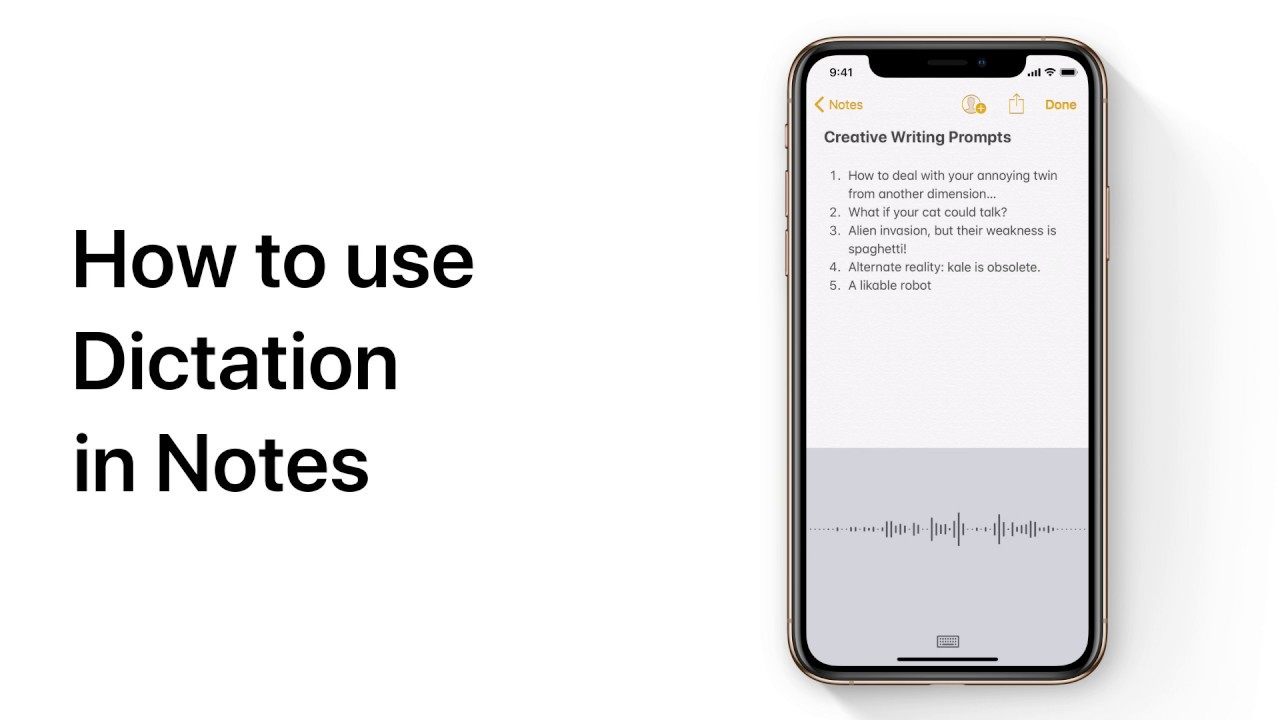
Use Dictation in Notes — Apple Support

To dictate into the Notes app without typing, open a note and tap it to access the keyboard. As you speak, the text will appear on the screen, allowing you to add line breaks and punctuation using your voice. Simply tap the microphone icon to begin dictating. For example, saying “New line” will create a new line, while mentioning “smiley” will insert a smiley emoticon. This feature enables you to effortlessly capture your thoughts hands-free, providing a convenient way to record notes or ideas while on the go.

Summary:
– To dictate into the Notes app, open a note and tap it.
– Access the keyboard and tap the microphone icon to start dictating.
– Speak naturally, and your speech will be converted into text.
– You can add line breaks and punctuation using voice commands.
– This feature allows for hands-free note-taking, making it convenient for capturing thoughts or ideas without typing.

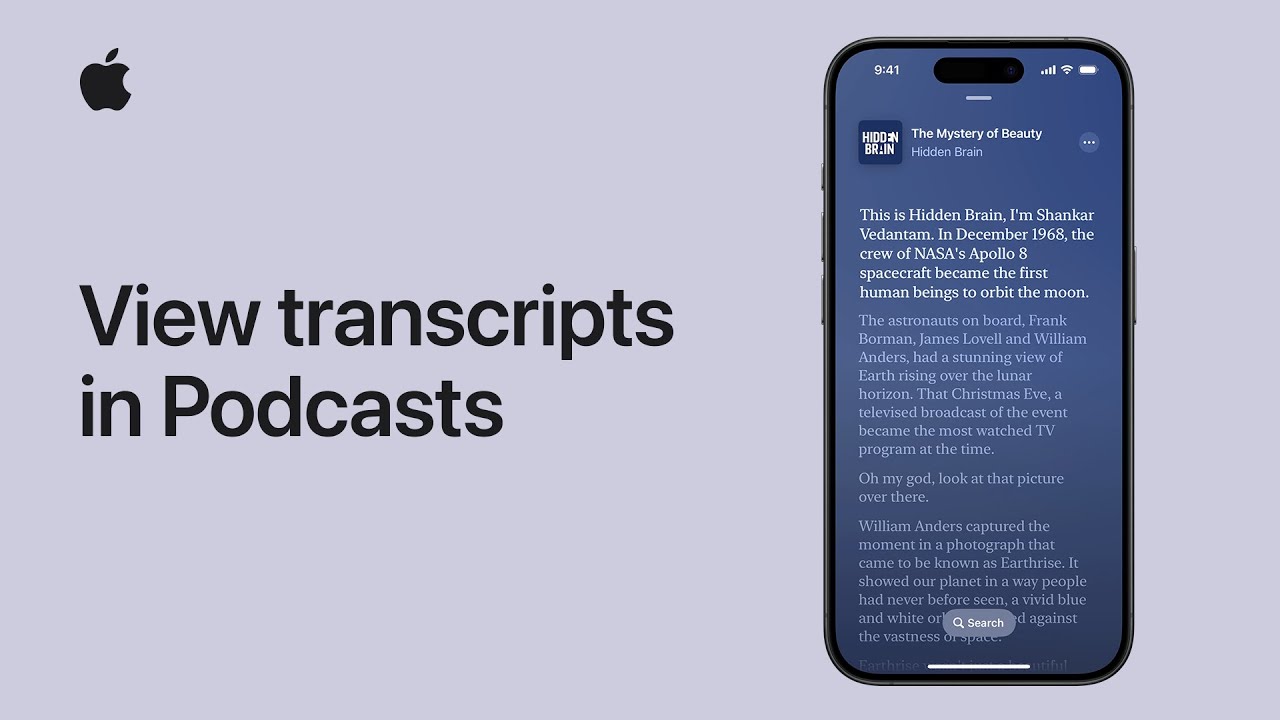
How to view transcripts in Apple Podcasts on iPhone and iPad | Apple Support

You can enhance podcast accessibility by accessing transcripts within the Podcasts app. On an episode page, scroll down or tap “More” and then “View Transcript.” While listening, tap the player, then “Play,” and “Transcript.” Words will highlight as the podcast plays. Use the search function to find specific words. Tap the podcast artwork to return to playback controls. Note that transcripts are available for supported episodes in select languages. Stay informed about Apple products by subscribing to the Apple Support YouTube channel.

Summary:
– Access podcast transcripts in the Podcasts app for enhanced accessibility.
– Navigate to an episode page and scroll down or tap “More” then “View Transcript.”
– While listening, tap the player, select “Play,” then “Transcript” to follow along with highlighted words.
– Utilize the search function to find specific words or phrases within the transcript.
– Note that transcripts are available for select episodes in supported languages, providing a more immersive podcast experience.

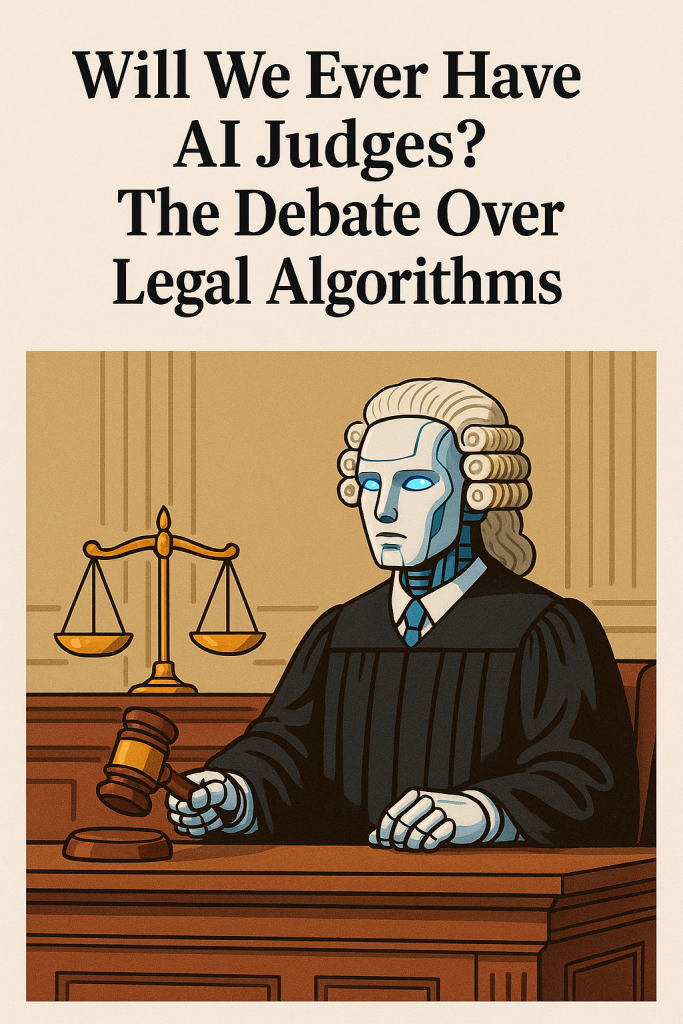
Will We Ever Have AI Judges? The Debate Over Legal Algorithms

Artificial intelligence (AI) is showing up in more places than ever—from smart home devices to medical tools. But could it one day take on the serious job of a judge in a courtroom? It might sound like science fiction, but some countries are already using AI in small ways to help with legal decisions.

In this article, we’ll explore what AI judges could mean for the future of justice. We’ll look at what’s already happening today, what experts think about it, and what concerns people have. Don’t worry if you’re not tech-savvy—this guide is designed to be easy to understand and helpful.

Table of Contents

Key Takeaways

  • AI is already used in some legal areas, but not as full judges.
  • Supporters say AI could help courts work faster and reduce bias.
  • Critics worry that AI lacks fairness, empathy, and human judgment.
  • There are big legal and ethical questions about replacing human judges.
  • The idea of AI judges is still mostly in the future, not the present.

AI in law isn’t a new idea, but its role is still quite limited. Today, AI tools are used in areas like:

  • Sorting legal documents to help lawyers prepare cases
  • Predicting case outcomes based on past court decisions
  • Risk assessments that help judges decide if someone can be released before trial

These tools can save time and may help courts handle their busy schedules. However, they don’t actually replace judges. They’re more like assistants behind the scenes.

Real-World Examples

  • United States: Some courts use AI risk assessment tools when setting bail or sentencing. These programs look at data like age and past arrests to suggest a decision.
  • China: Courts in some cities use a system called “Smart Court,” which includes chatbots and software that helps manage simple cases.
  • Estonia: The country has experimented with using AI to settle small claims (under €7,000), though human judges still oversee the process.

What Would an AI Judge Look Like?

When people talk about an “AI judge,” they imagine a computer system that can look at the facts of a case, apply the law, and make a fair ruling—just like a human judge would.

But there’s a big difference between helping a judge and being the judge. Human judges consider many things that are hard to program, like:

  • Tone of voice
  • Facial expressions
  • Moral judgment
  • Life experience

AI systems rely on data and patterns. They don’t understand human feelings, and they can’t explain their decisions in the same way a person can.

The Case For AI Judges

Supporters of AI in legal systems point to some possible benefits:

  • Faster decisions: AI could speed up court cases, which often take months or years.
  • Lower costs: Fewer delays and simpler procedures could reduce legal fees.
  • Less bias: Some believe AI could remove personal prejudice from decisions, since computers don’t have feelings or backgrounds.
  • Consistency: AI could apply laws the same way every time, leading to more predictable results.

Imagine if every speeding ticket case in a city was reviewed by the same AI tool. The idea is that everyone would be treated equally, regardless of race, gender, or income.

The Case Against AI Judges

But there are many reasons people are cautious, or even strongly opposed:

  • Bias in the data: AI systems learn from past cases. If those cases included unfair outcomes, the AI may repeat them.
  • Lack of transparency: It’s often unclear how an AI made its decision. This is sometimes called a “black box.”
  • No human understanding: A judge might show mercy based on someone’s personal situation. AI can’t do that.
  • Accountability issues: If an AI makes a mistake, who’s responsible? You can’t put a computer on trial.

Some experts believe using AI in sensitive cases—like child custody, criminal sentencing, or refugee status—could be dangerous or unjust.

What Does the Future Hold?

AI judges won’t be taking over anytime soon. Most legal experts agree that machines can support judges but shouldn’t replace them. The future will likely include:

  • More use of AI for simple tasks, like traffic tickets or small claims
  • Human judges using AI tools to help them make informed choices
  • Strict rules to make sure AI is fair, explainable, and safe

Laws and legal systems tend to move slowly, and for good reason. When it comes to justice, people want to be sure decisions are thoughtful, fair, and humane.

Final Thoughts

The idea of AI judges raises big questions about how we want our legal systems to work. While technology may help make courts more efficient, most experts agree that human judgment and compassion are still essential in the courtroom.

It’s an exciting and important conversation—but one that needs care, caution, and a deep respect for justice.

Curious to learn more? Check out our beginner’s guide to AI and how it’s used in everyday life.

Categories AI

How to limit your iPhone to one app with Guided Access | Apple Support

You can set up Guided Access by enabling it in Settings > Accessibility > Guided Access, then setting a passcode. To start a session, triple-click the side button, adjust settings if needed, then tap “Start.” To end a session, triple-click the side button again, enter the passcode, and tap “End.” Guided Access helps limit the device to a single app, ideal for handing it off to someone else.

Summary:
Set up Guided Access in Settings > Accessibility > Guided Access.
– Enable it and set a passcode for security.
– Start a session by triple-clicking the side button and selecting the desired app.
Customize settings like disabling buttons or setting time limits.
– End a session by triple-clicking the side button, entering the passcode, and tapping “End.”

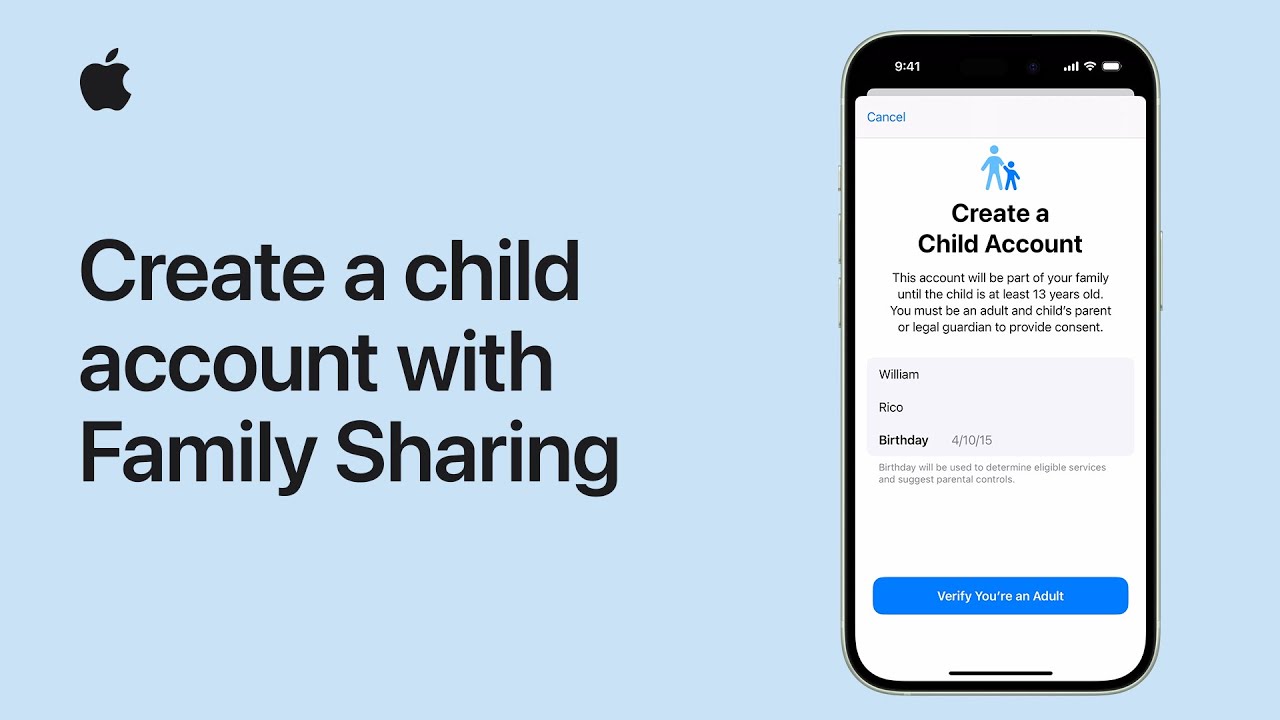
How to create a child account with Family Sharing on iPhone or iPad | Apple Support

practhumb131

With Family Sharing, you can share Apple subscriptions, iCloud+, and more with your family, and as a parent or guardian, you can set up your child’s account and parental controls simultaneously. In Settings, tap Family below your name, then tap the add button and create a child account. Follow the prompts to enter your child’s details, verify your identity, review privacy disclosures, and set up an Apple ID. Customize parental controls through Screen Time, set communication safety measures, and manage app and website activity. You can also approve purchases and share your child’s location with family members. Welcome to Family Sharing!

Summary:
– Share Apple subscriptions and iCloud+ with Family Sharing.
– Set up a child account and parental controls in Settings.
– Customize content restrictions, communication safety, and screen time.
– Approve purchases and share the child’s location with family.
– Welcome to Family Sharing for streamlined family management.