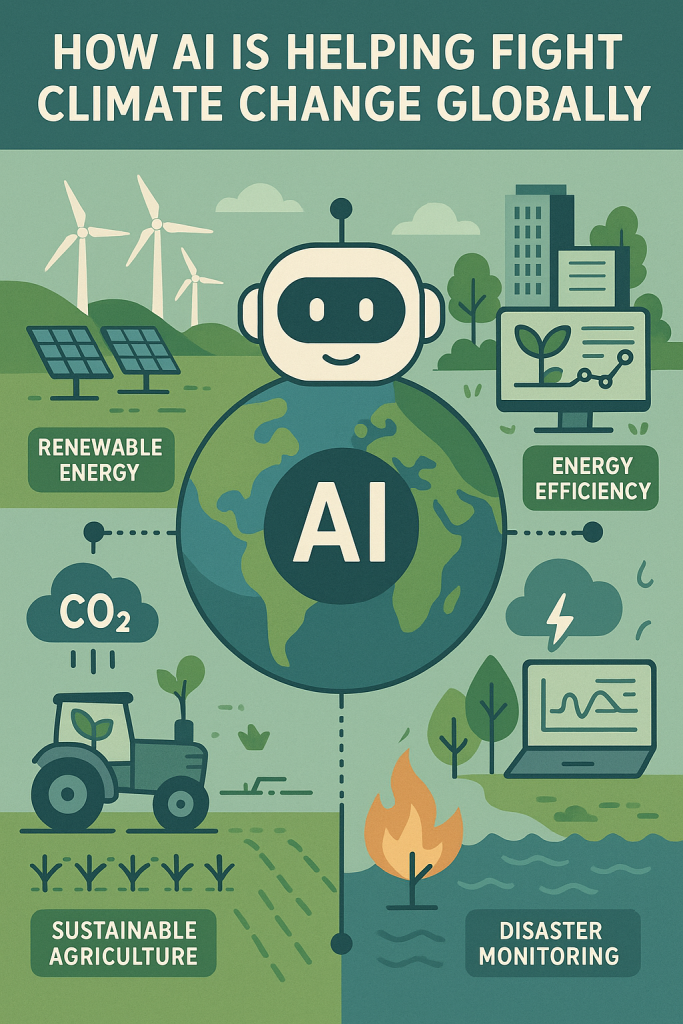
How AI Is Helping Fight Climate Change Globally

Climate change is a big challenge, but new tools are helping us face it. One of the most powerful is artificial intelligence, or AI. In simple terms, AI is smart computer software that learns from data to solve problems. It can help scientists, governments, and even regular people take better care of our planet.

In this article, we’ll look at three key ways AI is being used in the fight against climate change:

  • Predicting climate and weather patterns
  • Improving how we use energy
  • Watching over our environment and natural resources

Don’t worry if you’re not tech-savvy—this guide is beginner-friendly and full of real examples from around the world.

Table of Contents

Key Takeaways

  • AI improves climate predictions by analyzing large amounts of data quickly, helping communities prepare for floods, heatwaves, and storms.
  • It increases energy efficiency, especially in large systems like power grids and data centers, which reduces waste and lowers emissions.
  • AI monitors the environment in real time, alerting authorities to deforestation, pollution, and other threats so action can be taken quickly.
  • Real-world examples include Google’s flood alerts in Asia, smart wind farms in Europe, and rainforest monitoring in South America.

1. Predicting Climate and Weather with AI

AI helps scientists understand what’s happening with our climate—and what might happen next. This includes long-term climate models and short-term weather forecasts.

Example: AI for Flood Forecasting

In countries like India and Bangladesh, flooding is a major threat. Google has developed an AI system that uses weather data, river levels, and terrain maps to predict floods. It can warn people up to 7 days in advance, giving families time to prepare. As of now, it reaches over 460 million people in 80 countries. This early warning system has saved lives by giving people time to move to safer areas.

Example: Better Rain Predictions

In the UK and other parts of Europe, AI is improving short-term weather forecasts. Google’s DeepMind developed an AI that predicts rainfall more accurately than some traditional methods. These kinds of tools help local governments and emergency services plan for storms and floods with greater confidence.
2. Saving Energy with AI

Energy is a major part of climate change. Burning fossil fuels to create electricity releases greenhouse gases. That’s why using energy more efficiently is one of the easiest ways to cut emissions—and AI is great at that.

Example: Smarter Data Centers

Big tech companies like Google run massive data centers to power websites, videos, and cloud storage. These centers use a lot of electricity, especially for cooling the machines. Google’s AI reduced cooling energy use by 40% by predicting when machines would get hot and adjusting the cooling system accordingly. That’s a big win for both the planet and the company’s power bill.

Example: Managing Power Grids

AI is also helping to balance electricity supply and demand. Wind and solar power are great, but they depend on the weather. AI can forecast when the sun will shine or the wind will blow and adjust power use accordingly. This keeps the lights on even when the weather changes.

In the U.S. and Europe, AI is being used to improve how electricity grids operate. It can even detect potential problems—like tree branches near power lines—before outages happen. That makes the grid not only greener, but also more reliable.

Example: Efficient Buildings

AI isn’t just for big companies. Smart thermostats use AI to learn your routine and adjust heating and cooling automatically. Some office buildings use AI to manage lighting and temperature, reducing energy waste without anyone even noticing.

3. Monitoring the Environment

Another way AI helps is by watching over nature. It can monitor forests, oceans, and cities to spot changes—like illegal logging or air pollution—and send alerts so we can act fast.

Example: Listening to Rainforests

In places like the Amazon rainforest, illegal logging is a serious problem. A group called Rainforest Connection uses solar-powered devices in trees that “listen” for chainsaws. When they detect the sound, they send alerts to local rangers. This system uses old smartphones and AI to recognize dangerous activity in real time. It’s already being used in over a dozen countries.

Example: Tracking Deforestation

AI is also used with satellite images to spot forest loss. In Colombia and Brazil, systems can detect new clearings within hours of trees being cut down. This helps governments and nonprofits respond quickly, stopping further destruction and protecting wildlife.

Example: Cleaner Air in Cities

Cities in India, like Chennai, use AI to monitor air quality. Sensors collect pollution data across neighborhoods. When pollution levels rise, the AI system suggests actions like planting more trees, adjusting traffic patterns, or alerting residents. In Chennai, this led to 200,000 trees being planted to help clean the air.

Final Thoughts

Artificial intelligence may seem high-tech, but it’s being used in very down-to-earth ways to help us fight climate change. From predicting floods to reducing electricity waste and protecting rainforests, AI is quietly working behind the scenes to support a healthier planet.

You don’t have to be a scientist or tech expert to appreciate its impact. These smart systems support the people making decisions—from weather forecasters and energy managers to forest rangers and city leaders.

As AI continues to improve, it will play an even bigger role in helping us live in balance with nature. And that’s good news for everyone—because when technology and people work together, we can build a better future.

Categories AI

How to use a Memoji sticker as your contact photo | Apple Support

In iOS 16, you can set up new Memoji options as your contact photo easily. Just navigate to your contact, tap edit, and then add photo or edit under the profile picture. Select a Memoji and adjust it as desired, then choose a background color and tap done to confirm. Finally, tap done again to save your edits to your contact. This feature allows you to personalize your contacts with Memoji stickers, adding a touch of personality to your contact list.

Summary:
– In iOS 16, you can set up Memoji as your contact photo.
– Navigate to the contact, tap edit, then add photo or edit under the profile picture.
– Choose a Memoji sticker from the options available.
– Adjust the Memoji within the circle and select a background color.
– Tap done to confirm the contact photo, then save your edits to the contact.

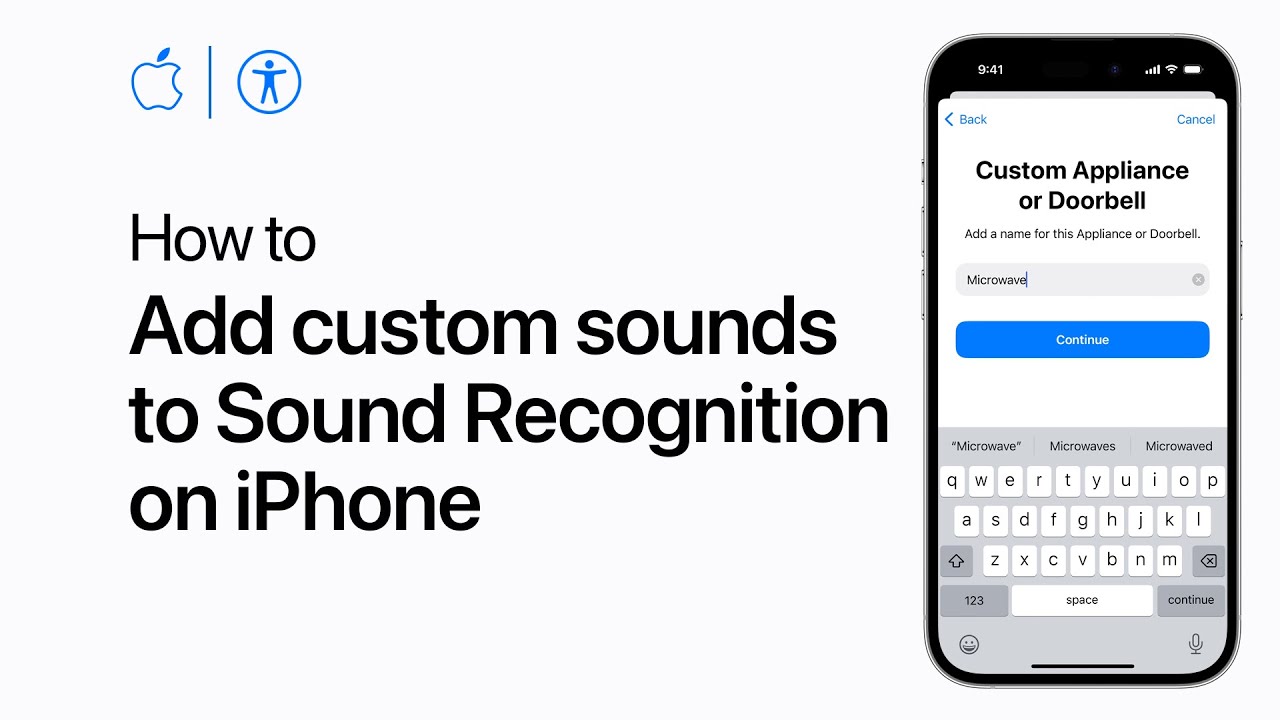
How to add custom sounds to Sound Recognition on iPhone | Apple Support

practhumb119

Starting in iOS 16, you can add custom alarms, appliance sounds, and doorbells to Sound Recognition on your iPhone. In Settings, go to Accessibility, then Sound Recognition, and tap Sounds. Choose Custom Appliance or Doorbell, and follow the setup instructions by naming your custom sound and letting your iPhone listen to it multiple times. If noise is detected but not from your appliance, tap Ignore and keep listening. A blue check mark will confirm successful detection. Save the sound, and repeat the process until your iPhone learns the sound completely. Once learned, your iPhone will notify you when it hears the sound again.

Summary:
– In iOS 16, Sound Recognition on iPhones can now learn custom sounds.
– Navigate to Settings > Accessibility > Sound Recognition > Sounds.
– Select “Custom Appliance or Doorbell” and name your custom sound.
– Let your iPhone listen to the sound multiple times for recognition.
– Save the sound once successfully detected, and your iPhone will notify you when it hears it again.

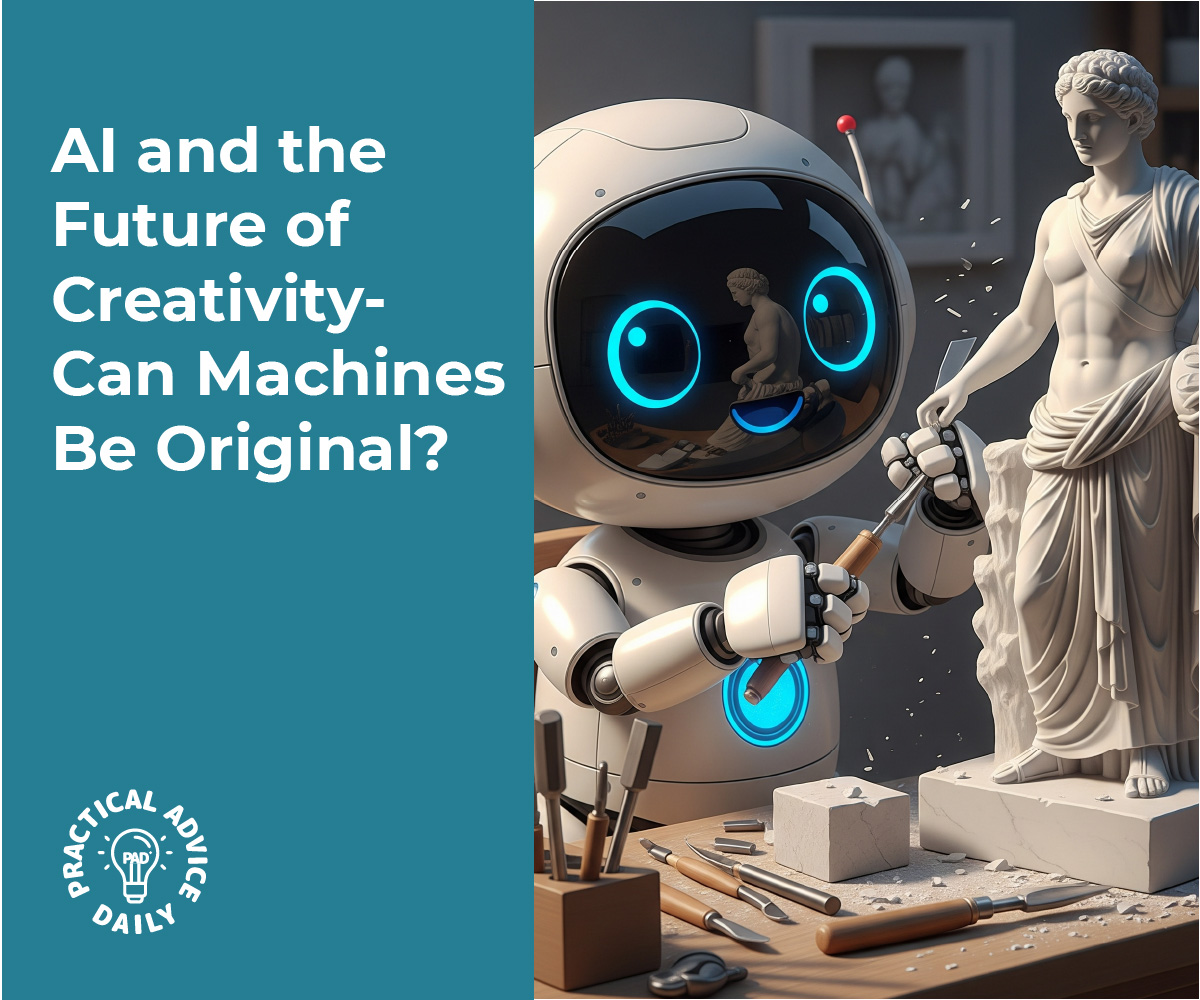
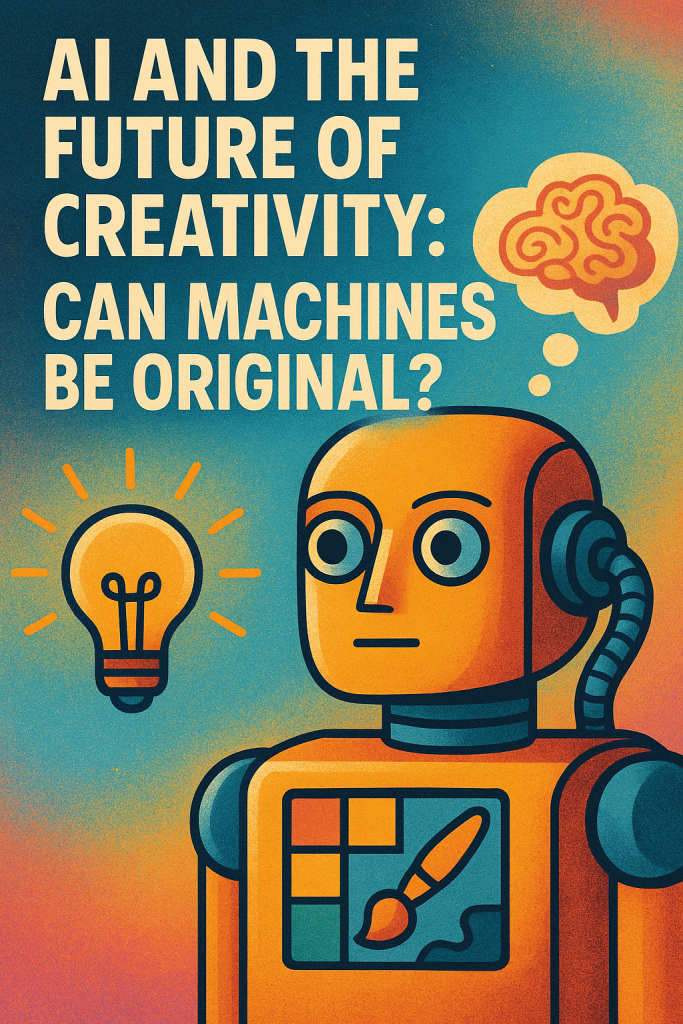
AI and the Future of Creativity: Can Machines Be Original?

Have you ever heard a song or seen a painting and then found out it was made by a computer? It might sound surprising, but artificial intelligence (AI) is now capable of creating art, writing stories, and even composing music.

This brings up a big question: Can a machine really be creative and original? In this article, we’ll explore both sides of the debate. You’ll also see real-life examples of AI-generated creativity, explained in a simple and friendly way.

Table of Contents

Key Takeaways

  • AI can create art, music, and writing that often looks or sounds impressive.
  • Some believe AI is creative, because it produces original results by mixing ideas in new ways.
  • Others argue true creativity requires emotion and intent, things AI does not have.
  • Humans still guide most AI-generated content, making the process a collaboration.
  • The future may lie in humans and AI working together, not replacing each other.

Can AI Really Be Creative?

Let’s start with what creativity means. Most people agree that creativity involves using imagination to make something new or meaningful. But does that require human feelings, or can a machine do it too?

Real-Life Examples

1. Art:
In 2018, an AI-generated painting called “Edmond de Belamy” sold for over $400,000 at Christie’s auction house. The AI created the portrait after learning from thousands of classic paintings. Another example came in 2022, when an artwork made with an AI tool called Midjourney won first place in a fine arts competition. The artist used AI to generate many images, then selected and edited the final version.

2. Music:
AI has helped finish Beethoven’s unfinished 10th Symphony by studying his style and composing music in a similar way. In another case, Sony researchers trained an AI to mimic The Beatles, resulting in a catchy tune called “Daddy’s Car.” A human helped polish it, but the melody came from the AI.

3. Writing:
The Guardian newspaper published an op-ed written by an AI called GPT-3. It formed full sentences, made arguments, and followed a theme. Editors combined parts of different drafts, but the content itself came from the AI.

These examples show that AI can produce things that surprise even experts. But are they truly creative?

Arguments For AI Creativity

Supporters say creativity is about combining ideas in fresh ways—and AI can do that very well.

AI tools analyze large amounts of data, spot patterns, and create something new. For example, an AI that’s trained on classical paintings can mix styles or generate brand-new images that don’t copy any one source.

Some experts say that’s not much different from how people learn. A human artist is inspired by the art they’ve seen. A writer draws on books they’ve read. In both cases, new ideas come from what’s already known.

AI also has the advantage of not being limited by habits or tradition. It can explore ideas people might never consider.

Arguments Against AI Creativity

On the other side, many say machines can’t be truly creative because they lack feelings, goals, or awareness.

Humans create because they want to express emotions or tell a story. A machine doesn’t feel joy, sadness, or inspiration. It just follows instructions and data patterns.

Critics also argue that AI depends entirely on human-made content. If it’s trained on thousands of songs or artworks, it’s not creating from nothing. It’s combining pieces of what already exists.

Another point: almost every example of AI creativity involves a person guiding the process—choosing inputs, editing results, or selecting the best outputs. In that sense, the human is still the main creator, using AI as a tool.

A Middle Ground: Human + AI Creativity

Rather than ask whether AI can replace artists, many now see AI as a partner in the creative process.

Think of AI like a musical instrument or a paintbrush. It doesn’t create on its own—but it helps bring new ideas to life. Artists, musicians, and writers are already using AI tools to brainstorm, sketch, or generate rough drafts.

One expert called this “co-creativity”: a combination of human vision and machine power. The human brings emotion and meaning. The AI offers speed, inspiration, and variation.

Final Thoughts

So, can machines be original? In some ways, yes—they can surprise us with new and exciting creations. But whether that’s true creativity depends on how you define it.

AI doesn’t have feelings or intent, but it can be a powerful tool for creative work. Instead of replacing human imagination, AI may expand it—offering new ways to explore music, art, and writing.The future of creativity likely won’t be humans versus machines, but humans working with machines. And with the right mindset, that partnership could lead to amazing new possibilities.

Categories AI

How to view and copy Wi-Fi passwords on your iPhone | Apple Support

Starting in iOS 16, you can easily look up the Wi-Fi passwords for networks you’re currently connected to, as well as those you’ve previously connected to, on your iPhone. In Settings, tap Wi-Fi, then tap the information button (i) next to your connected network and tap the password. Use Face ID or Touch ID to unlock and reveal it, and you can tap Copy to share it. To find passwords for previously connected networks, tap Edit in the Wi-Fi settings, select the network, and tap the password to reveal and copy it. This process helps you manage and share your Wi-Fi passwords effortlessly.

Summary:
– Starting in iOS 16, you can view Wi-Fi passwords on your iPhone.
– In Settings, tap Wi-Fi and then the information button (i) next to the connected network.
– Tap the password, use Face ID or Touch ID to unlock, and tap Copy to share it.
– To view passwords for previous networks, tap Edit in Wi-Fi settings, select the network, and reveal the password.
– This feature helps you manage and share Wi-Fi passwords easily.

How to recover deleted Messages conversations on your iPhone | Apple Support

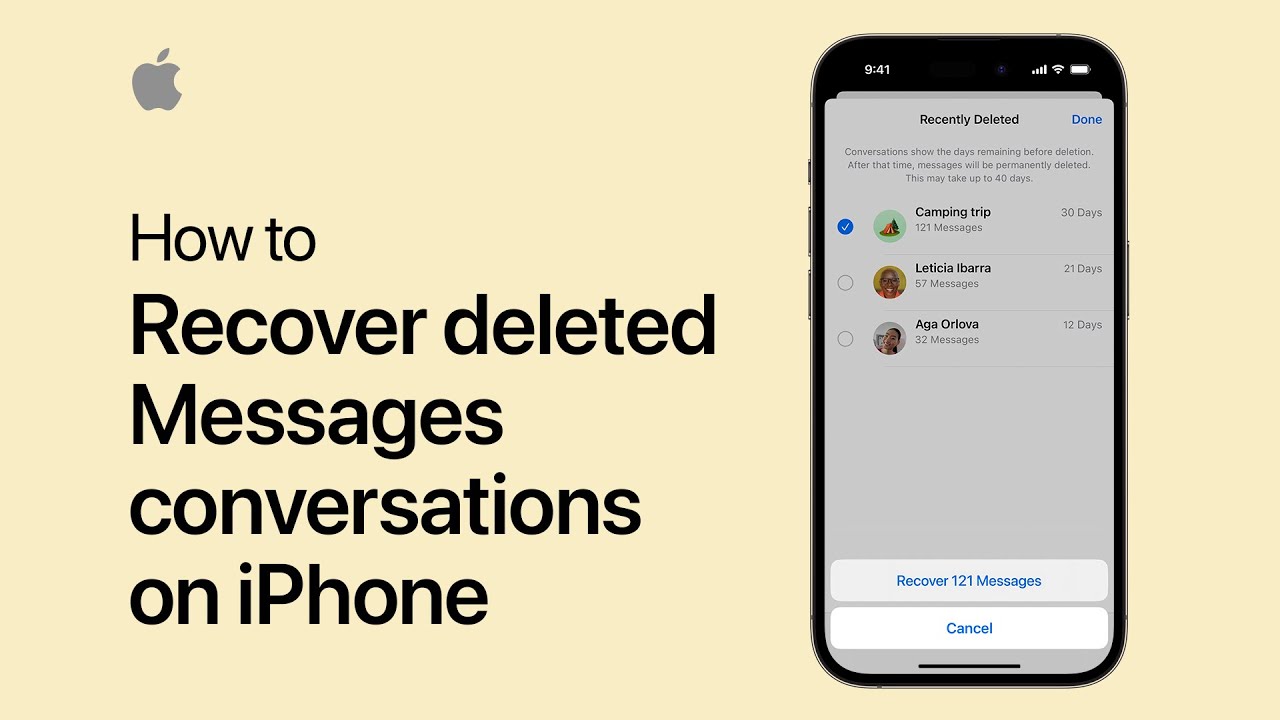
Starting in iOS 16, you can recover deleted conversations and messages on your iPhone. Here’s how: In Messages, tap “Edit” in the upper left corner (or “Filters” if you have filter unknown senders turned on), then tap “Show Recently Deleted.” Select the conversation you want to restore, tap “Recover” in the bottom right corner, and confirm by tapping “Recover Messages.” This will recover all messages and media for that conversation for up to 30 days. Tap “Done” in the upper right corner when finished. And that’s how you can get your conversations back in Messages.

Summary:
– In iOS 16, you can recover deleted messages on your iPhone.
– Tap “Edit” (or “Filters”) in Messages, then “Show Recently Deleted.”
– Select the conversation, tap “Recover,” and confirm to restore all messages and media.
– Deleted messages can be recovered for up to 30 days.
– Tap “Done” when finished.

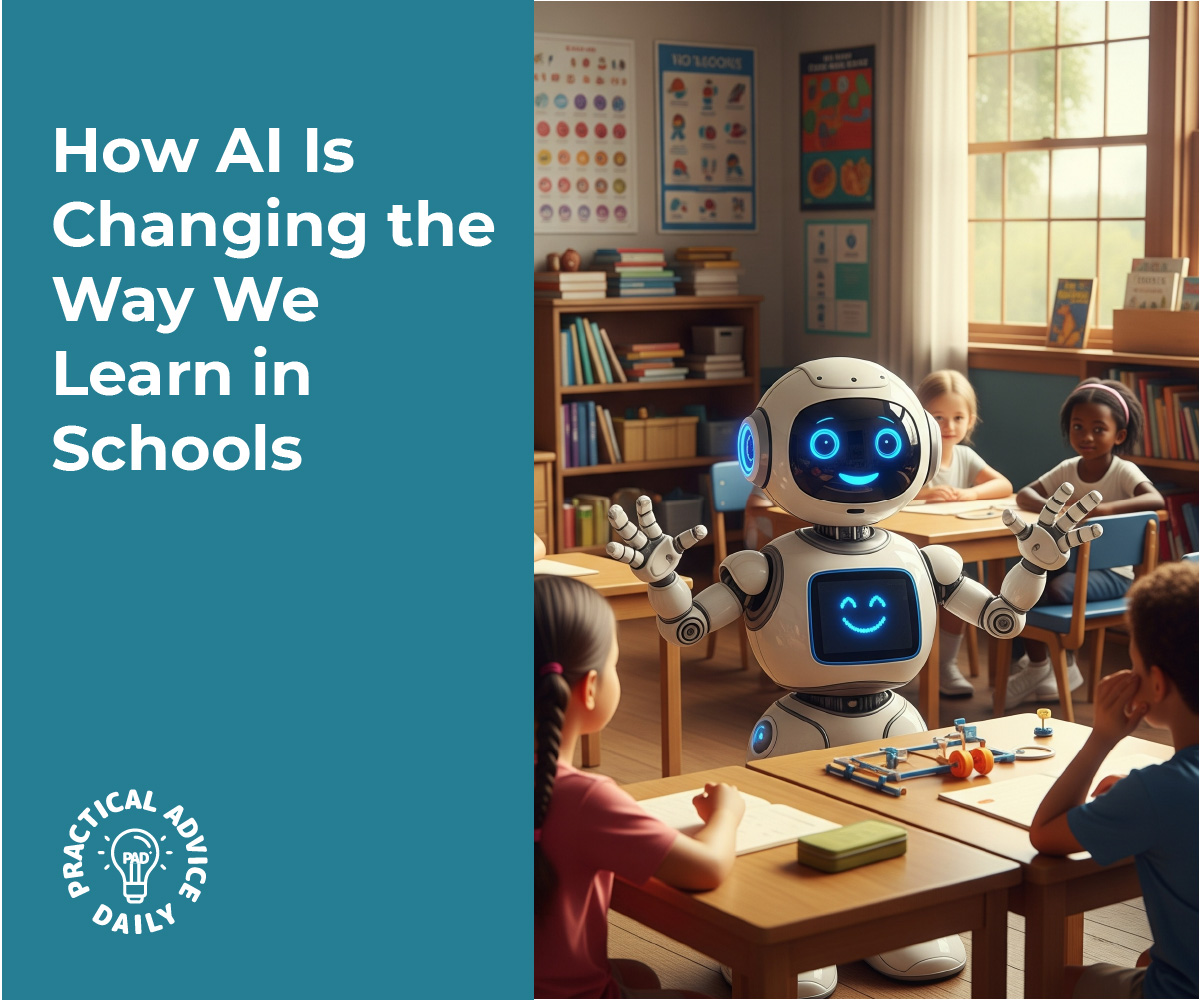
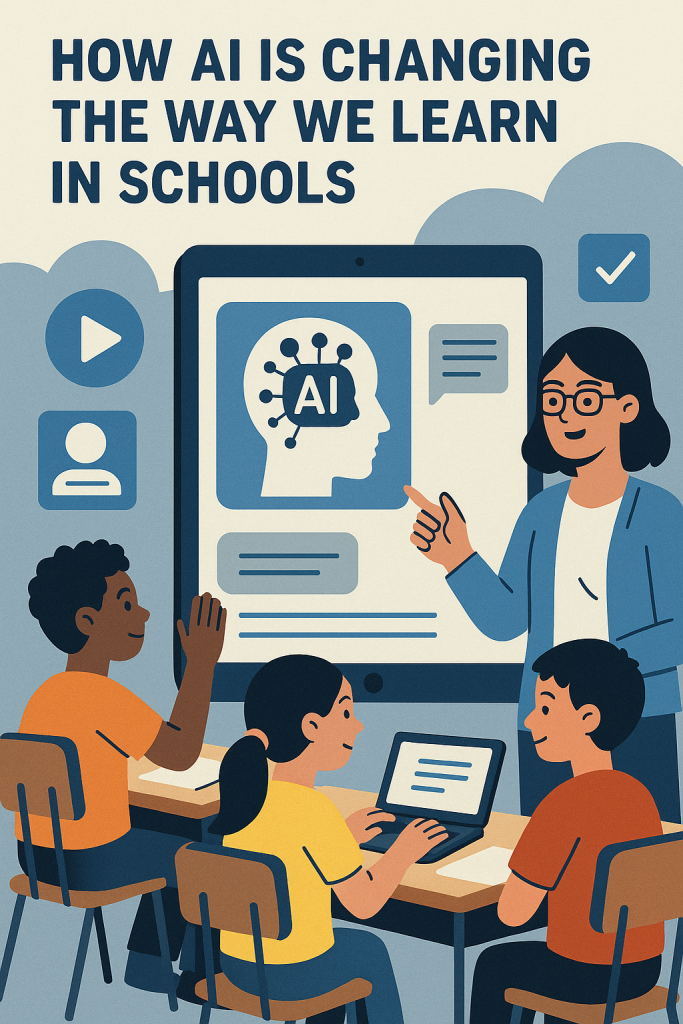
How AI Is Changing the Way We Learn in Schools

Going back to school as an older adult can feel overwhelming but it doesn’t have to be. Thanks to Artificial Intelligence (AI), learning is becoming more flexible, personalized, and supportive. AI tools can adapt to your pace, help explain difficult topics, and even grade assignments. Whether you’re returning to college or learning something new for fun, AI is making education easier for everyone.

Table of Contents

Key Takeaways

  • Learn at your own pace: AI adjusts lessons to match your skill level and progress.
  • Ask questions anytime: AI tutors offer 24/7 help without judgment.
  • Faster feedback: AI helps grade quizzes and assignments quickly and fairly.
  • Used worldwide: Schools in the U.S., Europe, and Asia are already using these tools.
  • Supports not replaces teachers: AI helps instructors focus on human connection and deeper learning.

Personalized Learning for Every Student

In a traditional classroom, everyone gets the same material at the same pace. That can be tough if you’re brushing up after years away from school. AI changes this by creating personalized lessons based on how you learn.

For example, if you’re struggling with a math topic, the AI might give you more practice or explain it differently. If you already understand a topic, it might let you skip ahead.

Real-world example: In Finland, many schools use an AI system called ViLLE to give students feedback right away. It adjusts lessons based on what each student needs, helping them learn faster and stay motivated.

AI Tutors: Support When You Need It

Ever wish you had someone to help with homework at 9 p.m.? AI tutors make that possible. These are programs that act like virtual assistants answering questions, explaining concepts, and guiding you step by step.

How it helps:

  • You can type questions in plain English.
  • The AI gives helpful explanations not just answers.
  • It’s always available, so you don’t have to wait for office hours.

Real-world example: At Georgia Tech in the U.S., an AI named Jill Watson acted as a teaching assistant for online students. It answered common questions and many students didn’t even realize it wasn’t a person!

In South Korea, the government is launching AI tutors in schools nationwide. These tutors adapt to how each student learns, helping them grow more confident and independent.

AI Grading: Quick and Consistent Feedback

Waiting days or weeks to get test results can be frustrating. With AI, students can get feedback in minutes. AI grading tools help teachers check answers quickly especially for multiple-choice, math, or short-answer questions.

Benefits for students:

  • See results immediately.
  • Understand mistakes while the topic is still fresh.
  • Practice and improve faster.

AI grading isn’t used for everything. Essays and creative work still need a human touch. But for basic tests and drafts, AI helps lighten the load.

Real-world use:
Colleges around the world, including in the U.S. and Ireland, use tools like Gradescope to grade large batches of assignments faster and more fairly. Teachers still review the results to ensure quality.

Global Impact of AI in Education

AI in education isn’t just a trend it’s happening across the globe:

  • United States: Schools use AI to help with writing, tutoring, and grading. Walden University even created an AI tutor called Julian to assist students in online courses.
  • Europe: Finland’s ViLLE and Ireland’s shared AI platforms help personalize learning and support adult education.
  • Asia: In India, an app called Embibe uses AI to turn textbook content into animated lessons. In China, millions of students use Squirrel AI for personalized tutoring.

These tools aren’t limited to young students. Many are designed to help lifelong learnersincluding seniors returning to college or exploring new subjects later in life.

Final Thoughts

AI is transforming how we learn and it’s especially helpful for older adults in college. From personalizing lessons to offering 24/7 tutoring, these tools make education more flexible, supportive, and effective. They don’t replace teachers, they support them, making learning easier for everyone.

If you’re thinking about going back to school or learning something new, don’t be afraid of AI. You don’t need to be tech-savvy to benefit. Many programs are easy to use and built to guide you every step of the way.

Learning at any age is a wonderful journey and with AI, you’re never on that journey alone.

Categories AI

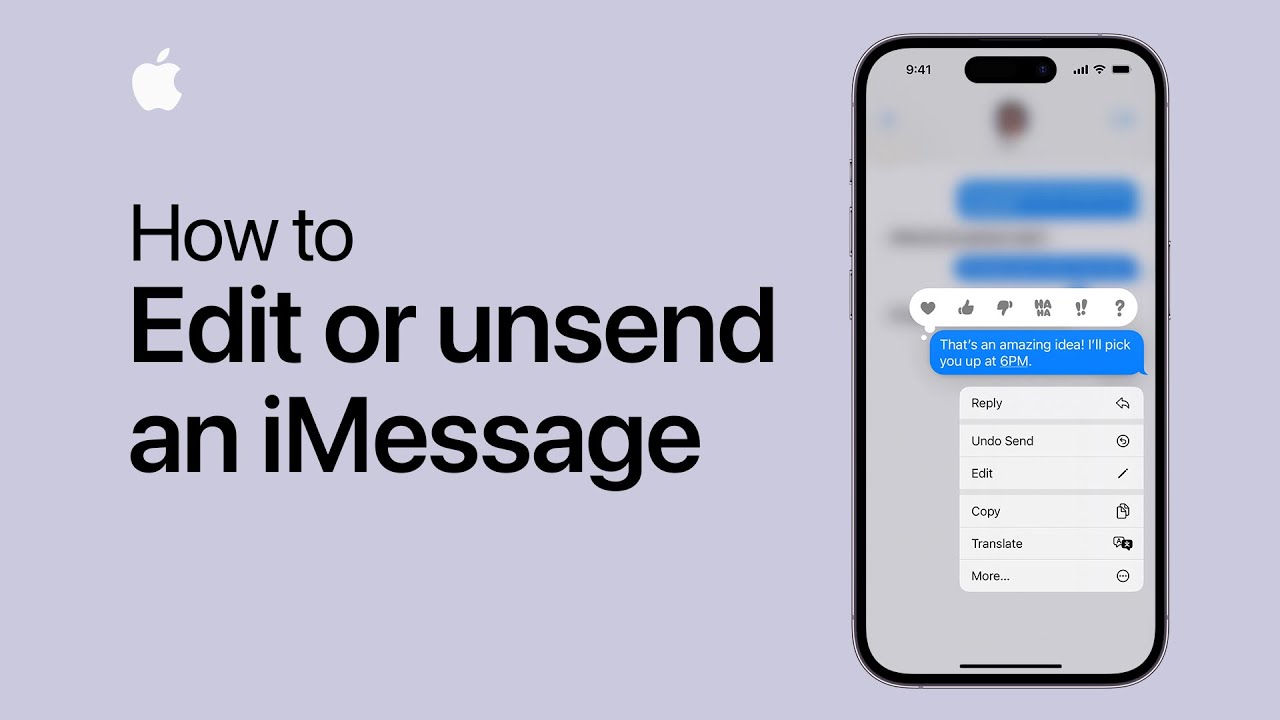
How to edit or unsend an iMessage | Apple Support

Starting in iOS 16, you can edit or unsend an iMessage after it’s been sent. To edit, touch and hold the message, tap “Edit,” make your changes, and tap the check mark to save. You have 15 minutes to edit the message up to five times. Both you and the recipient can view the edit history if using iOS 16. To unsend a message, touch and hold it, then tap “Undo Send” within two minutes, making it disappear for both parties. For more tips, subscribe to the Apple Support YouTube channel.

Summary:
– Starting in iOS 16, you can edit or unsend an iMessage after sending.
– To edit, touch and hold the message, tap “Edit,” make changes, and save within 15 minutes.
– You can edit the same message up to five times, with the edit history viewable if both users have iOS 16.
– To unsend, touch and hold the message and tap “Undo Send” within two minutes.
– Both editing and unsending require the recipient to also be using iOS 16.

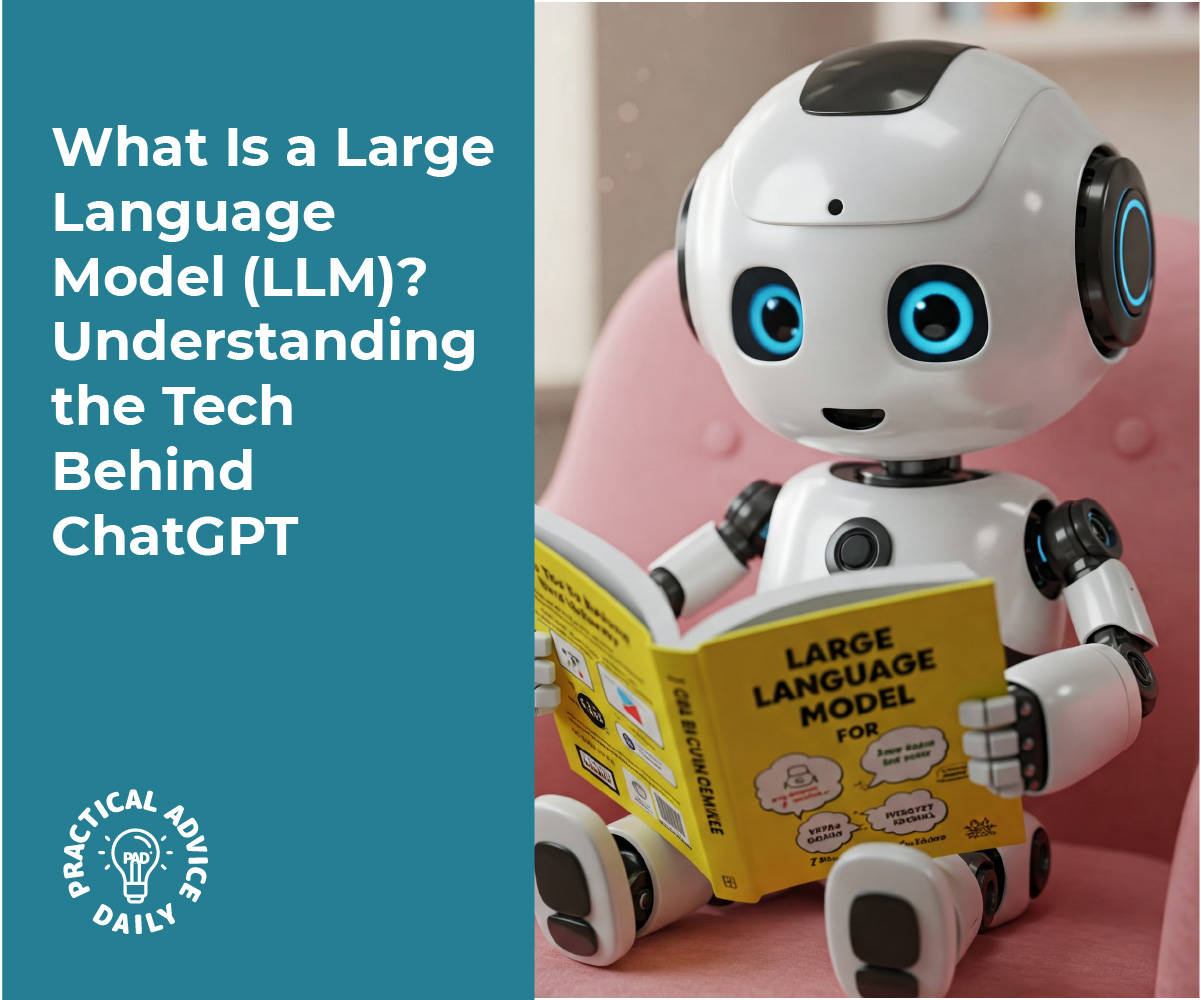
What Is a Large Language Model (LLM)? Understanding the Tech Behind ChatGPT

Have you ever wondered how ChatGPT can have conversations with you, answer questions, or help with tasks? It all comes down to a type of technology called Large Language Models (LLMs). These models are the brains behind many AI tools, including ChatGPT. But don’t worry—this isn’t tech jargon! In this article, we’ll break down what LLMs are, how they work, and why they’re important—all in simple, easy-to-understand terms.

Key Takeaways

  • A Large Language Model (LLM) is a type of artificial intelligence that processes and understands language.
  • LLMs are trained on massive amounts of text to help them predict the next word or phrase in a sentence.
  • They’re used in various applications, from answering questions to generating content.
  • Despite their power, LLMs still have limitations and are only as good as the data they are trained on.

What Is a Large Language Model (LLM)?

Simply put, a Large Language Model (LLM) is a type of computer program that can understand and generate human language. It works like a brain that has learned to read and write by looking at huge amounts of text. LLMs, like ChatGPT, are trained on books, articles, websites, and more to “learn” how words and sentences work together.

Think of it like teaching a child how to talk by showing them lots of conversations. Over time, the child learns how to respond in a way that makes sense, even when presented with new topics.

How Do LLMs Work?

At their core, LLMs use a process called training. Here’s how it works:

  1. Training on Text: LLMs are fed massive amounts of text data. This could be anything from books to news articles. The more text they see, the better they get at understanding language.
  2. Learning Patterns: The model learns patterns in the text—how words relate to each other, sentence structure, and even things like tone or context. It gets really good at predicting what comes next in a sentence.
  3. Generating Responses: When you ask a question or make a request, the LLM predicts the best words and sentences to respond. It doesn’t “think” like humans, but it uses the patterns it has learned to craft a response that seems intelligent.

For example, if you ask ChatGPT, “What is the capital of France?”, it uses the information it has learned to predict the answer (“Paris”) and provide it to you.

Why Are LLMs So Powerful?

One of the reasons LLMs are so impressive is their ability to generate human-like responses. They can do everything from answering questions to writing essays, poems, and even jokes. They can also assist with tasks like summarizing information, translating languages, and helping with customer service.

Because they have learned from so much text, LLMs have a vast range of knowledge. They can handle complex topics, but they can also provide simple explanations. This flexibility makes them useful in everyday tools like Siri, Alexa, and even the chatbots you see on websites.

Real-Life Examples of LLMs

You’ve probably already used LLM-powered tools without even realizing it. Here are a few examples:

  • Customer Support Chatbots: Many websites now use AI-driven chatbots to answer customer questions. These bots are powered by LLMs, which help them understand your questions and respond appropriately.
  • Language Translation: Services like Google Translate use LLMs to translate text between languages with impressive accuracy.
  • Writing Assistance: Tools like Grammarly or even ChatGPT can help you write better by suggesting improvements or generating content for you.

The Potential of LLMs

The potential of Large Language Models is huge. As these models get more advanced, they could become even better at understanding complex ideas and conversations. Some of the exciting possibilities include:

  • Improving Education: LLMs could help personalize learning by providing students with tailored lessons and answers to questions.
  • Supporting Healthcare: AI-powered tools might assist doctors by providing medical information, helping with diagnosis, or even offering health advice.
  • Enhancing Creativity: Writers, artists, and musicians could use LLMs to brainstorm ideas, write scripts, or generate creative content.

Final Thoughts

Large Language Models are an exciting and rapidly evolving technology that’s changing the way we interact with computers. While they’re not perfect and can make mistakes, they hold great potential to improve many areas of our lives. Whether it’s helping with daily tasks, creating content, or answering questions, LLMs are becoming a valuable tool in both professional and personal settings.

Categories AI

How to remove duplicates in Photos on iPhone | Apple Support

practhumb115

In iOS 16, the Photos app can detect and manage duplicate photos efficiently. Start by accessing the Albums tab, then scroll down and select “Duplicates.” If no duplicates are found, allow more time for analysis. Tap “Select,” then choose the photos you want to merge or select all. Confirm by tapping “Merge.” The app offers the option to merge exact duplicates or those with slight variations. Merged duplicates retain the highest quality and relevant data like captions and favorites. Removed duplicates are stored in the “Recently Deleted” folder. This process streamlines your photo library and enhances organization.

Summary:
– In iOS 16, Photos app can identify and manage duplicate photos efficiently.
– Access the “Duplicates” section under the Albums tab in the Photos app.
– Select the photos to merge or choose “Select All” and confirm by tapping “Merge.”
– Options are available to merge exact duplicates or those with slight variations.
– Merged duplicates maintain the highest quality and relevant data while removed duplicates are stored in the “Recently Deleted” folder.