
Staying connected during international travel no longer requires draining a bank account or signing up for expensive roaming plans. Modern travelers have access to multiple budget-friendly options for mobile data abroad, from eSIM technology to local SIM cards, each offering distinct advantages depending on trip duration and destination. The most cost-effective approach combines purchasing an affordable eSIM data plan before departure with downloaded offline maps as a backup, typically costing between $5-20 for a week compared to $70-105+ for carrier roaming.
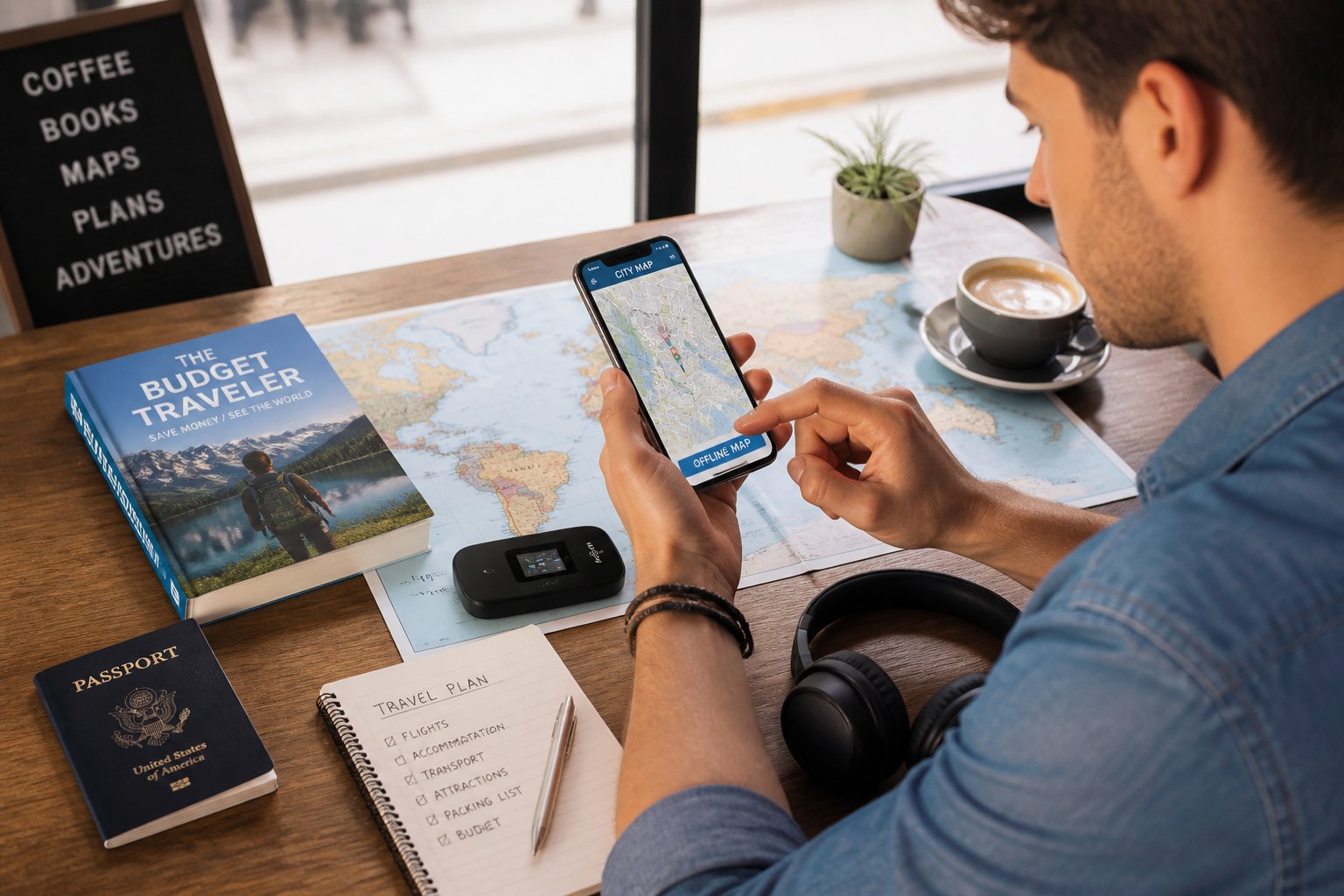
Beyond finding cheap data, knowing how to navigate without any internet connection provides essential insurance against connectivity issues. Downloading maps, route information, and key location data before leaving home ensures travelers can find their way even when data runs out or signal becomes unavailable. These offline tools have evolved significantly, offering turn-by-turn navigation and saved locations without requiring any active connection.
This guide examines practical strategies for securing affordable travel data while exploring reliable methods for offline navigation. Understanding which data options genuinely save money, how to avoid common tourist traps like airport SIM kiosks, and which offline navigation tools work best helps travelers maintain connectivity without overspending.
Table of Contents
Key Takeaways
- eSIMs typically cost $5-20 for a week of data compared to $70-105+ for traditional carrier roaming plans
- Downloading offline maps before departure ensures navigation capability even without mobile data or Wi-Fi access
- Avoiding airport SIM vendors and understanding data needs before purchasing prevents unnecessary expenses and connectivity gaps
Best Ways to Access Cheap Travel Data Abroad

Travelers seeking affordable international data have four main options: eSIMs for instant digital connectivity, local SIM cards purchased in-country, carefully managed roaming plans, and Wi-Fi alternatives. Each approach offers distinct trade-offs between cost, convenience, and reliability depending on trip duration and destination.
eSIMs: How They Work and When to Use Them
An eSIM is a digital SIM embedded in compatible smartphones that eliminates physical cards entirely. Travelers purchase esim plans online before departure, scan a QR code to install the profile, and activate data upon arrival. Most devices manufactured after 2018 support this technology, though checking compatibility beforehand prevents issues.
Travel esim options divide into single-country, regional esim, and global esim categories. Regional plans cover multiple countries within areas like Europe or Southeast Asia, while global versions span 100-200+ countries. Providers like Airalo and Holafly offer competitive rates, typically $5-20 for 5GB over seven days.
The dual-SIM capability proves particularly valuable. Travelers keep their home number active for calls and authentication codes while routing data through the cheaper esim. This configuration avoids the connectivity gaps associated with swapping physical cards.
ESIMs work best for travelers with compatible unlocked phones visiting countries with established provider networks. They deliver immediate connectivity without airport queues or language barriers.
Local SIM Cards Versus Travel eSIMs
Local sim cards traditionally offered the cheapest international data, but esims now match or beat these rates while adding convenience. Physical SIMs require finding a carrier store, presenting passport documentation, and waiting through registration processes that consume 15-60 minutes.
Airport sim card kiosks charge premiums of 30-50% above city prices for instant access. A local sim card purchased downtown might cost $15 for 10GB, while the airport version demands $25 for identical service. Travelers arriving during off-hours may find limited purchasing options.
Registration requirements vary by country. Some nations mandate biometric data collection, creating privacy concerns absent from esim transactions. Physical cards also mean temporarily losing access to the home number unless the device supports dual-SIM hardware.
ESIMs eliminate these friction points while matching local sim card pricing. The choice narrows when devices lack eSIM support or when visiting countries with limited esim provider coverage. Coverage maps from esim providers clarify network availability before purchase.
Avoiding International Roaming Costs
Home carrier roaming represents the most expensive connectivity method. Major carriers charge $10-15 daily for international roaming plans, accumulating to $140-210 over two weeks. These packages often include data limits and speed throttling after threshold usage.
Pay-as-you-go roaming costs reach $10-15 per megabyte in some regions. A single map session or email check can trigger $50+ charges. Travelers who forget to disable roaming face bill shock upon returning home.
To avoid roaming charges, travelers should disable data roaming in device settings before departure. Switching to airplane mode with Wi-Fi enabled prevents accidental connections. Some carriers offer specialized international data plans at reduced rates for frequent travelers, though these rarely compete with local sim cards or esims.
Google Fi provides an exception with consistent $10/GB pricing across 200+ countries, appealing to travelers who value predictability over absolute minimum cost. The service includes no daily fees and maintains the home number throughout travel.
Portable Wi-Fi Hotspots and Public Wi-Fi Options
Portable wi-fi hotspot devices like GlocalMe rent or purchase for $5-15 daily, sharing connectivity across multiple devices simultaneously. Groups traveling together find per-person costs decrease when splitting one hotspot, though rental agreements often require deposits and timely returns.
Pocket wifi units work independently of phone specifications, supporting older devices without esim capability. Battery life typically spans 6-12 hours, requiring daily charging and adding another device to carry. International data plans for these hotspots cost $8-25 per gigabyte depending on destination.
Airport wifi and hotel wifi provide free alternatives with significant limitations. Public networks lack encryption, exposing banking details and passwords to interception. Coverage exists only within facility boundaries, eliminating navigation and real-time communication while exploring.
Airport wifi typically throttles speeds after 30-60 minutes, pushing users toward paid tiers. Hotel wifi quality varies dramatically, with some properties limiting bandwidth or charging $10-20 daily fees. These options supplement rather than replace dedicated mobile data abroad solutions for travelers needing reliable connectivity.
Choosing the Right Data Plan for Your Trip
Travelers need to evaluate data plans based on their destination scope, compare costs across different connectivity options, and understand how to manage multiple phone numbers effectively. The right choice depends on itinerary complexity, data consumption patterns, and budget constraints.
Regional, Global, and Country-Specific eSIM Plans
Country-specific eSIM plans work best for single-destination trips and typically offer the lowest per-GB rates. A traveler visiting only France can purchase 10GB for $13-15 through providers like Maya Mobile or Nomad, valid for 15-30 days.
Regional eSIM plans cover multiple countries within a continent or geographic area. A Europe+ plan from Maya Mobile provides 10GB for $13.49 across 35 countries, while Airalo’s Eurolink covers 42 destinations starting at $5 for 1GB. These plans eliminate the need to purchase new data when crossing borders within the covered region.
Global eSIM plans provide the most flexibility for multi-continent trips but usually cost more per gigabyte. Travelers visiting Asia, Europe, and South America in one trip benefit from global coverage despite higher pricing. The trade-off is convenience versus cost efficiency.
Most regional and global plans use whatever local networks are available in each country, so speeds and reliability can vary. Providers like Airalo allow manual network switching to improve connection quality when automatic selection underperforms.
Comparing Data Costs: Local SIMs, eSIMs, and Roaming
Local SIM cards remain the cheapest way to get internet while traveling in most countries, often providing 10-20GB for $10-20. The drawbacks include finding a store, potential language barriers, and losing access to the primary phone number unless the device supports dual SIM functionality.
Travel eSIM plans cost more than local options but eliminate physical purchases and activate instantly. Budget eSIM providers like Ubigi start at $2.90, while 10GB typically ranges from $14-37 depending on destination and provider. Nomad charges $16 for 10GB, GlobaleSIM offers 10GB for $14, and Airalo prices the same amount at $37 for European coverage.
Carrier roaming charges from U.S. providers typically cost $10-12 per day for international data, making eSIMs dramatically cheaper for trips longer than 2-3 days. A two-week vacation would cost $140-168 in roaming fees versus $15-50 for an eSIM with 10-20GB.
| Option | 10GB Cost | Best For | Setup Time |
|---|---|---|---|
| Local SIM | $10-20 | Long stays, single country | 30-60 minutes |
| Travel eSIM | $14-37 | Multi-country trips | 2-5 minutes |
| Carrier Roaming | $10-12/day | Emergency backup only | Instant |
Setting Up Dual SIM and Managing Multiple Plans
Dual SIM functionality lets travelers keep their home number active for calls and texts while using a travel eSIM for mobile data abroad. Most recent iPhones and Android devices support one physical SIM and one eSIM simultaneously, or two eSIMs on newer models.
The setup process requires designating which line handles cellular data and which manages voice calls. Travelers typically set their travel eSIM as the primary data line and keep their home carrier active for incoming calls and two-factor authentication messages. This configuration prevents unexpected roaming costs while maintaining access to the home number.
Data limits need active monitoring to avoid service interruption. Providers like Nomad send usage warnings through their app, while others require manual checking. Running out of data mid-trip is inconvenient, but most eSIM providers allow instant top-ups through their mobile apps without requiring a new eSIM installation.
Some travelers purchase backup eSIM plans from different providers before departure. If one eSIM fails to connect or experiences network issues, switching to an alternate provider takes minutes rather than hunting for Wi-Fi to troubleshoot.
Navigating Without Mobile Internet: Offline Solutions
Modern travelers can navigate confidently abroad without constant internet connectivity by downloading maps beforehand, using specialized offline apps, and strategically connecting to free Wi-Fi networks when needed.
Downloading Offline Maps Before Departure
Google Maps allows users to download specific regions by searching for a destination, tapping the place name at the bottom, and selecting “Download offline map.” These downloads expire after 30 days and require periodic updates. Apple Maps users can download areas by dropping a pin and selecting “Download” from the location card.
Maps.me and Organic Maps offer unlimited free downloads of entire countries using OpenStreetMap data. These apps consume less storage space than Google Maps and include detailed trails, footpaths, and points of interest often missing from mainstream mapping services.
Travelers should download maps while connected to hotel wifi the night before departure. It’s advisable to download neighboring regions beyond the primary destination to avoid coverage gaps when crossing borders or taking unexpected detours. A downloaded map of Germany, for example, should include portions of adjacent countries if driving near borders.
Essential Offline Apps for Navigation and Travel
HERE WeGo provides offline public transit information for major cities, eliminating the need to stay connected while using buses and trains. The app includes voice-guided navigation, lane guidance, and speed limit alerts using the same professional-grade data found in automotive navigation systems.
OsmAnd serves outdoor enthusiasts with contour lines, hillshading, and offline Wikipedia entries for landmarks. The app supports GPX track recording and advanced route planning without requiring data connectivity.
Translation apps like Google Translate allow users to download language packs for offline text translation. Currency converter apps with offline modes help travelers calculate prices without internet abroad. Travelers should download these essential apps before departure and verify offline functionality while still connected to home wifi.
Finding and Using Free or Shared Wi-Fi Safely
Airport wifi networks provide reliable connections for downloading last-minute maps or updating navigation apps before departure. Hotel wifi typically offers stronger security than public networks but travelers should still avoid accessing banking apps or entering passwords on shared connections.
Cafes, restaurants, and shopping centers often provide free wifi to customers. Using a VPN on public wifi encrypts data and protects against potential security risks. Travelers should disable automatic wifi connections to prevent devices from joining untrusted networks without permission.
Airport SIM card vendors sometimes offer free wifi vouchers as alternatives to data purchases. Some international airports provide dedicated wifi zones with faster speeds than general terminal networks. Travelers can maximize free wifi by batching tasks like downloading content, checking emails, and updating apps during these brief connection windows rather than purchasing expensive data roaming packages or services like Google Fi.
Money-Saving Tips and Common Pitfalls
Smart travelers can cut their data costs dramatically by understanding where hidden fees lurk and how to stretch their data further. Phone compatibility issues can derail even the best-laid plans if not addressed before departure.
How to Avoid Bill Shocks and Hidden Fees
The easiest way to avoid roaming charges is to disable data roaming entirely in phone settings before leaving home. This prevents the phone from automatically connecting to foreign networks at premium rates.
Many travelers assume their regular plan covers international use, only to return home facing bills in the hundreds or thousands of dollars. Roaming costs can reach $10-15 per megabyte in some regions. Even receiving texts or calls can trigger fees.
Carriers often advertise “international plans” that still carry limitations. Read the fine print for daily fees, speed throttling after certain data limits, and restricted coverage maps. Some plans charge $10 per day just to use existing data abroad.
The cheapest way to get internet while traveling involves purchasing a local SIM card at the destination or using an eSIM provider before departure. Local SIMs typically cost $10-30 for several gigabytes, compared to $50-100 for carrier international add-ons with less data.
Maximizing Data Usage for Longer Trips
Download offline maps, translation apps, and entertainment before leaving Wi-Fi. Apps like Maps.me and Google Maps allow full regional downloads that work without any connection.
Disable automatic app updates and background refresh for all applications. These features silently consume data even when the phone sits idle. Check which apps use the most data in phone settings and restrict the heaviest users.
Connect to Wi-Fi at accommodations, cafes, and public spaces whenever possible for large downloads or video calls. Save data-intensive tasks for these free connections. Many restaurants and transit stations offer free Wi-Fi if travelers ask for the password.
Compression apps and data-saving modes in browsers can reduce usage by 30-50%. Avoid streaming video or music, which burns through gigabytes quickly.
What to Know About Phone Compatibility
An unlocked phone is essential for using local SIM cards or switching between providers. Locked phones only work with their original carrier’s international plans, eliminating cheaper options.
Not all phones support the frequency bands used in every country. North American phones may lack bands used in parts of Asia or Europe, resulting in poor coverage or no service. Check the phone’s specifications against the destination country’s network frequencies before purchasing a local SIM.
Older phone models may not support eSIM technology, which offers the most flexible and often cheapest connectivity options. CDMA phones from certain carriers have limited international compatibility compared to GSM models.
Physical SIM card sizes vary between devices. Travelers should confirm whether their phone uses nano-SIM, micro-SIM, or standard SIM before purchasing a local card abroad.
Final Thoughts
Saving money on travel data doesn’t have to mean giving up convenience or peace of mind. In most cases, the smartest approach is to combine a low-cost eSIM with offline maps and a few essential travel apps before you leave home. That way, you stay connected when you need it, avoid expensive roaming surprises, and still have a reliable backup if your signal drops or your data runs out.
The biggest wins often come from a little preparation: checking phone compatibility, downloading maps in advance, disabling roaming, and avoiding overpriced airport SIM kiosks. These simple steps can save both money and stress. With the right setup, you can spend less time worrying about connectivity and more time enjoying the trip itself.