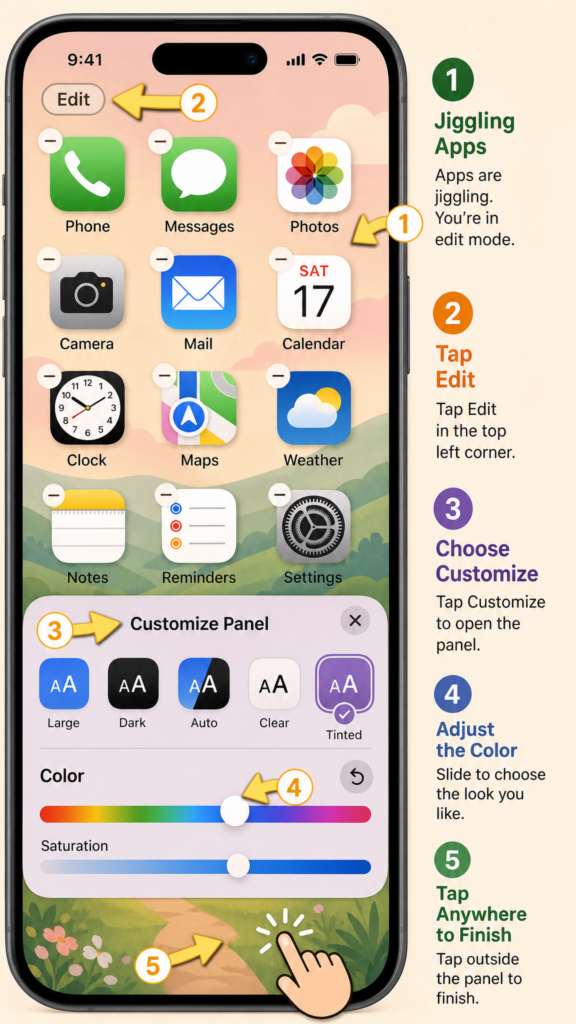
I start by touching and holding my Home Screen until the apps begin to jiggle, then I tap Edit in the top-left corner.
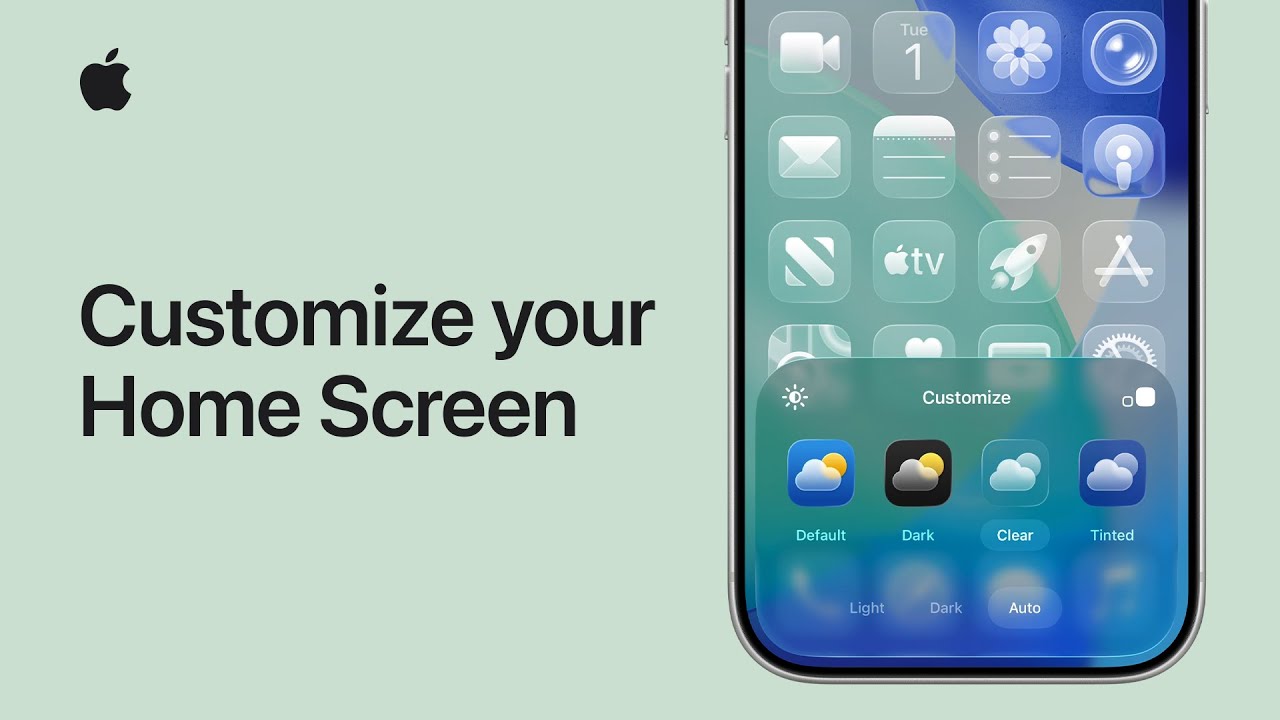
Next, I select Customize to change how my app icons and widgets look. I can tap Large to make icons bigger without labels or Dim to darken the wallpaper for better focus.
Then I choose between Light, Dark, Auto, Clear, or Tinted styles. If I pick Tinted, I adjust the color and saturation sliders to my preference.
Once everything looks right, I tap outside the menu to apply the changes and enjoy my newly customized Home Screen.