

To adjust my Apple Vision Pro for the best fit, I start by loosening the straps and holding the device by the frame, never by the Light Seal, Audio Straps, or power cable.
I slide the band over my head so the lower strap rests on the back of my head, then turn the Fit Dial clockwise to tighten until it feels snug. Next, I pull the Fit Dial out and tighten the upper strap, adjusting the band’s position up or down on my head as needed.
I fine-tune with the Fit Dial until I feel balanced support between my forehead and cheeks, ensuring a comfortable fit.
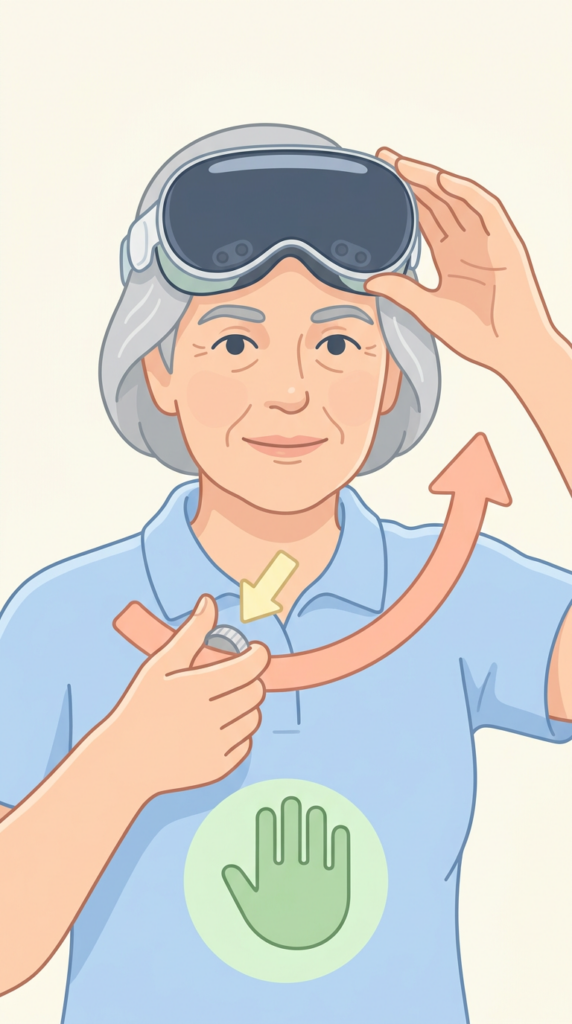
- Always hold Apple Vision Pro by the frame, not the Light Seal, Audio Straps, or power cable
- Slide the band over your head with the lower strap resting on the back of your head
- Turn the Fit Dial clockwise to tighten and counterclockwise to loosen the straps
- Adjust the band position up or down on your head for balanced support between forehead and cheeks
- Fine-tune the fit using the Fit Dial until the device feels snug and comfortable