

If you have ever felt a little nervous about typing your credit card number into a website, you are not alone. The internet is full of wonderful things to buy, but it also has its fair share of “digital traps.”
The good news is that you don’t have to be a tech expert to stay safe. Today’s web browsers and security programs use something called Artificial Intelligence (AI) to act like a personal security guard for your computer. In this article, we will look at how these tools work for you and share some easy ways to tell a real bargain from a fake one.
Table of Contents
Key Takeaways
- AI is your digital bodyguard: Modern browsers automatically check websites against a massive database of known threats.
- Look for the “Padlock”: A small lock icon in your address bar means the connection is secure.
- Trust your gut: If a price seems impossibly low, it is often a sign of a scam.
- Use built-in warnings: If your computer tells you a site is “not secure,” it’s best to listen and leave the page.
How AI Keeps You Safe While Shopping
Think of AI as a very fast reader that has seen every “bad” website on the internet. When you click a link, your web browser (like Google Chrome, Safari, or Microsoft Edge) uses AI to scan the page in a split second.
Flagging Risky Sites
AI looks for patterns that humans might miss. It checks if a website was created just a few hours ago or if the web address is spelled slightly wrong (like “Amaz0n.com” instead of “Amazon.com”). If the AI sees something suspicious, it will often pop up a bright red or gray warning screen telling you the site is dangerous before you even see the homepage.
Spotting Fake Deals
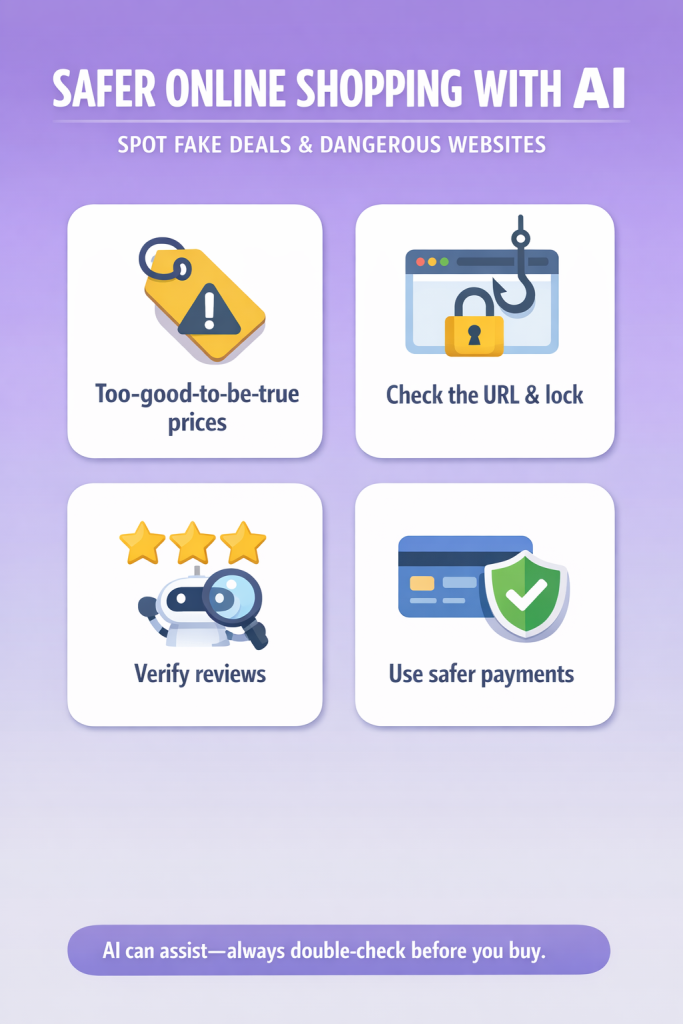
Security apps now use AI to analyze “limited time offers.” If a site claims to sell a $1,000 television for $50, the AI recognizes this pattern as a common tactic used by scammers to steal credit card details. Many security tools will now highlight these “too good to be true” prices as potential risks.
Practical Tips to Confirm a Deal is Real
Even with AI helping us, it is always good to do a quick “manual check.” Here is a simple step-by-step process you can use:
- Check the Address Bar: Look at the very top of your screen where the website name is written. Do you see a small icon that looks like a closed padlock? This means the site is encrypted, which helps keep your payment information private.
- Search for Reviews: If you’ve never heard of the store, open a new tab and type the store’s name followed by the word “scam” or “reviews.” If other people have had a bad experience, you’ll usually find out quickly.
- Look for Contact Information: Legitimate businesses want you to be able to reach them. Look at the bottom of the page for a “Contact Us” link. If there is no phone number or physical address listed, be very cautious.
- Verify the “Sense of Urgency”: Scammers love to use flashing timers that say “Only 2 minutes left!” or “Only 1 item in stock!” This is designed to make you rush so you don’t stop to think. Take a deep breath—real deals will usually wait for you to be sure.
Final Thoughts
Technology has come a long way in making the internet a friendlier place for everyone. By letting AI do the heavy lifting of spotting dangerous sites and using your own common sense to double-check deals, you can enjoy the convenience of online shopping without the worry.
Remember, it is always better to miss out on a “deal” than to risk your personal information. You’ve got the tools and the knowledge to shop with confidence! If you enjoyed this guide, feel free to look at our other articles on staying safe in the digital world.